What a Useful Test Failure Report Actually Needs to Contain
 Rui Li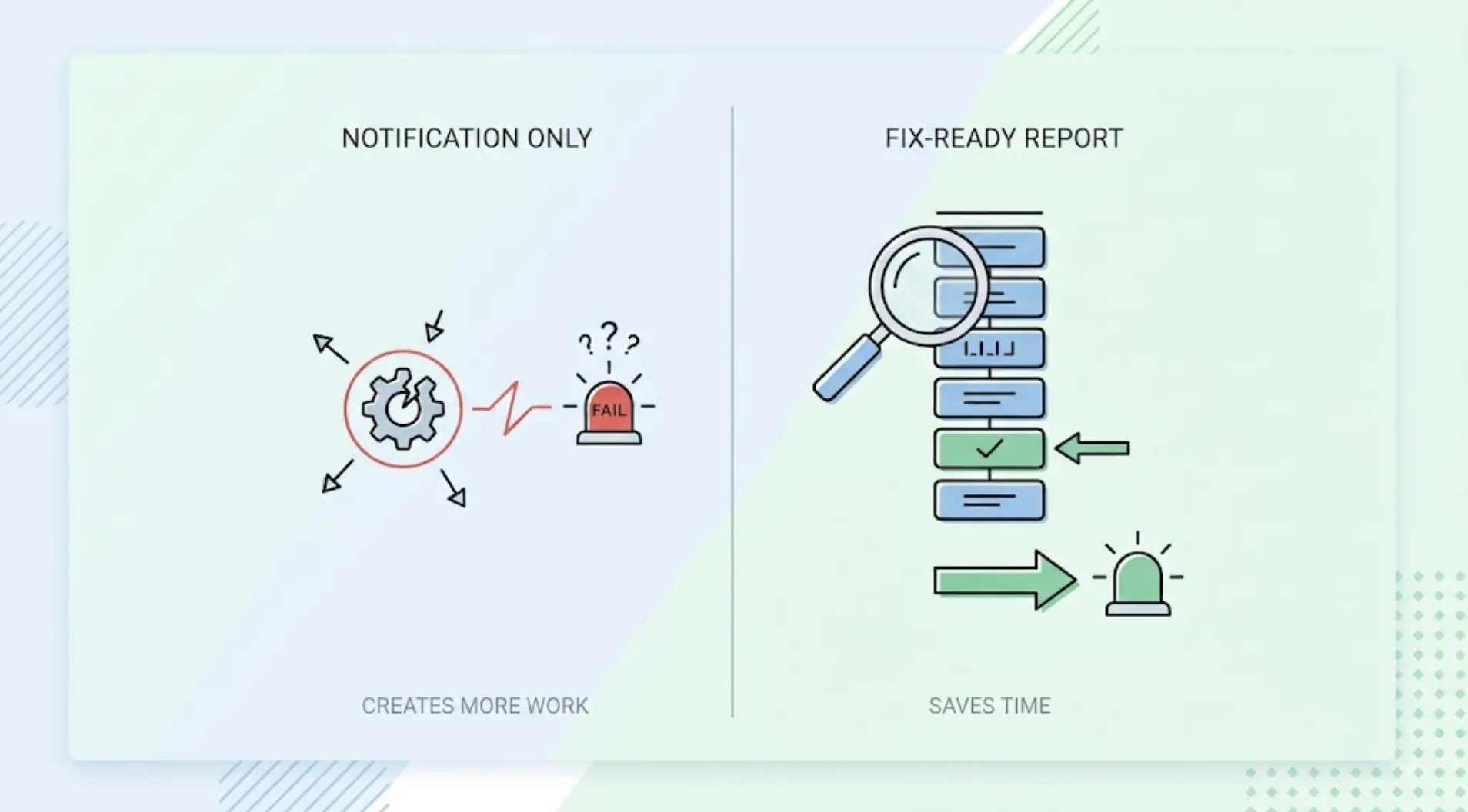
"Test failed: checkout_flow_test" tells a developer that something is wrong somewhere in checkout. It doesn't tell them what, where, or what to do about it. The gap between a failure notification and a fix-ready report is exactly the gap between a test suite that saves time and one that creates more work than it prevents.
The Problem With Pass/Fail Reporting
Traditional test output is built to answer one question: did this assertion succeed or not. That's useful for tracking whether a suite is green, and nearly useless for the person who has to fix a red result.
A failed assertion on expect(total).toBe(45.00) tells you the total wasn't 45.00. It doesn't tell you what it actually was, what state the application was in when the check ran, or which of the several things that could affect a checkout total was the actual cause. The developer receiving that failure has to reconstruct all of that context by hand, usually by rerunning the test locally and adding print statements, which is exactly the manual work automated testing was supposed to eliminate.
The Four Things a Fix-Ready Failure Report Needs
What the test was doing when it failed. Not the name of the test file, the actual sequence of actions: which page, which form, which button, in what order. A developer shouldn't have to open the test code to understand what was being checked.
What was expected. The specific value, state, or behavior the test was looking for, described in terms that map to the product, not just to an assertion in code.
What actually happened. The specific observed value or behavior, described with the same level of concreteness as the expectation. "The total was wrong" is not this. "The total displayed as $38.00 instead of the expected $45.00" is.
Enough context to locate the cause. Which component, which API response, which piece of state was involved. This is the difference between a report that tells you something broke and one that tells you roughly where to start looking.
Why This Requires Testing at the Product Layer
Reports this specific are only possible when the test actually observed real product behavior rather than asserting against code in isolation. A test that reads source code and infers what should happen can flag a mismatch, but it can't describe what a real user would have seen, because it never rendered anything a user would see.
TestSprite's exploration agents navigate the live application the way a real user would, which means the failure they report is grounded in an actual observed state, not an inference.
Other verification tools read your code and guess. TestSprite opens your app and uses it.
Each failure includes what the agent was doing, what it expected based on the product's intended behavior, and what actually appeared on screen or in the API response, arriving in the IDE where the AI coding agent that wrote the code is already working, in a form it can act on directly.
A Scenario: An Expense Reporting Tool and a Rounding Error Report
A team building an expense reporting SaaS tool gets a routine feature update: support for exporting expense reports as PDFs with a currency conversion applied for reimbursements in a different currency than the original expense.
An AI coding agent implements the conversion and export logic. A vague pass/fail report from a code-layer test suite would say only that an assertion on the exported total failed, leaving the developer to open the PDF, compare it manually against expectations, and guess at where the discrepancy originated.
Instead, TestSprite's exploration agents create a test expense report with a mix of currencies, trigger the export, and inspect the resulting PDF. The failure report specifies: an expense of €120.50 with a conversion rate applied should produce a converted total of $130.14, but the exported PDF shows $130.10. The report also notes that the discrepancy traces to a rounding step applied before currency conversion instead of after, based on comparing the converted total against the raw conversion math.
That level of specificity means the developer doesn't need to reproduce the bug manually to understand it. The coding agent reads the same report, locates the rounding step in the conversion logic, and reorders it to round after conversion rather than before. Retriggering the test confirms the exported total now matches to the cent.
Making Reports Actionable Without a Developer in the Loop First
The real test of whether a failure report is fix-ready is whether the AI coding agent that wrote the original code can act on it directly, without a developer translating the failure into something the agent can understand first.
This is what makes the in-session loop work: "Help me test this project with TestSprite" surfaces a failure specific enough that the same coding agent, in the same session, can read it and propose a fix immediately. A report that only says "test failed" forces a developer to become the translator between the test suite and the coding agent, which adds a step that a specific enough report never needed in the first place.
For teams running the GitHub Actions integration, the same specificity applies to PR comments: a reviewer reading the comment understands exactly what broke without opening a separate dashboard or rerunning anything locally.
Conclusion
The difference between a test failure that wastes an afternoon and one that gets fixed in five minutes usually isn't the bug itself. It's whether the report describes what happened specifically enough to act on immediately, or leaves the developer to reconstruct that context by hand.
TestSprite's failure reports are grounded in real observed product behavior, specific enough for an AI coding agent to read and fix directly, in the same session where the code was written.
See what a TestSprite failure report looks like and stop translating vague test failures into something your coding agent can actually use.