Is TestSprite Good for Frontend E2E Testing in React or Web Apps?
Zeshi Du6 min read

Yes, with a specific reason worth understanding.
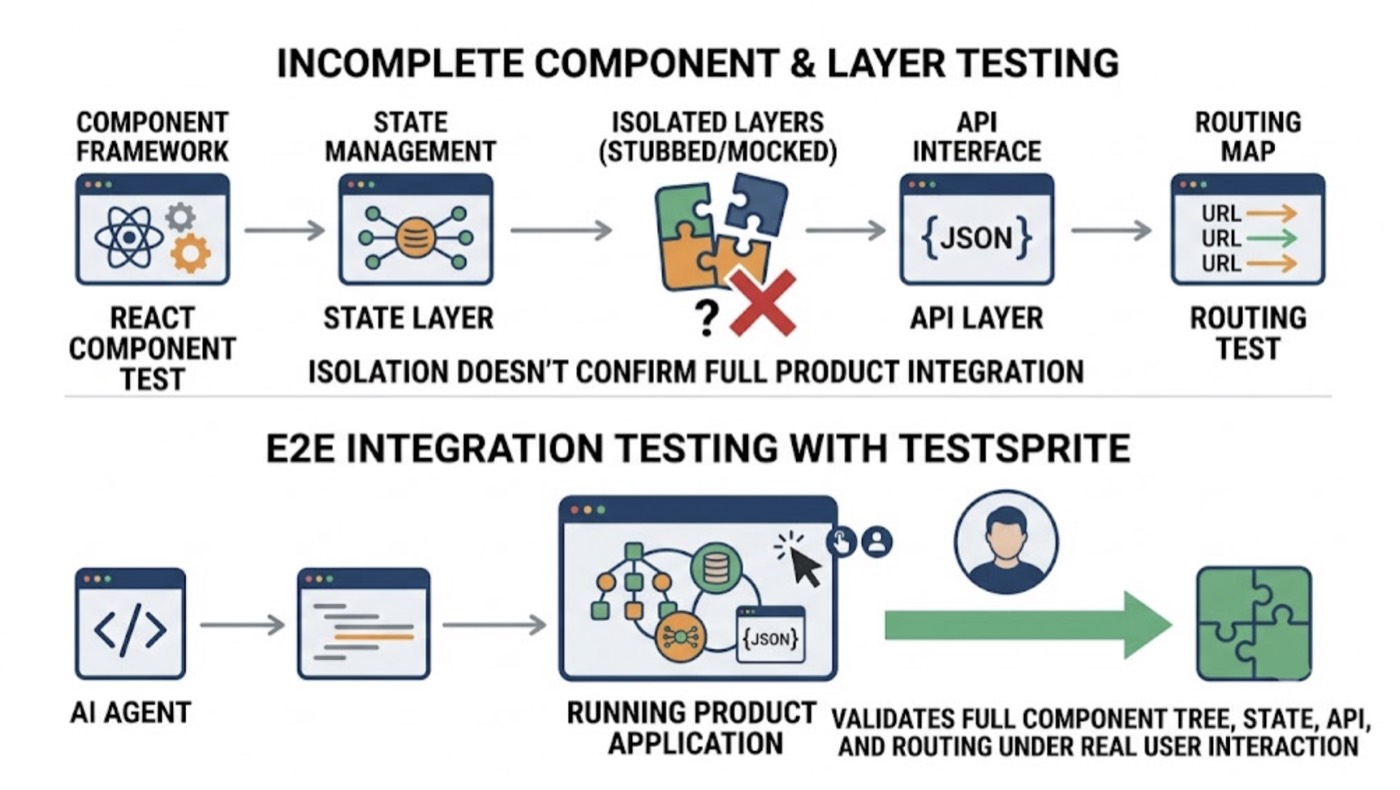
Frontend E2E testing for React and web apps has a specific challenge that component testing and unit testing don't address: the application only behaves correctly when the full component tree, the state management, the API layer, and the routing all work together under real user interaction. Testing any of those layers in isolation doesn't tell you whether the product works.
TestSprite is built for exactly this scenario. It doesn't test React components. It tests the React application, as a running product, by navigating it the way real users do.
Why Component-Level Testing Isn't E2E Testing
React ecosystems have good tooling for component testing. You can render a component in isolation, pass it props, and verify that it displays the right output for a given input. That's useful for verifying component logic.
It doesn't tell you whether the full application works.
A checkout component can render correctly with the right props while the checkout flow is broken because the component isn't receiving the right data from the state management layer. A form component can handle validation correctly in isolation while the form submission behavior is broken because the API call that processes the submission is returning an unexpected response shape. A modal can appear correctly when triggered in a test while the trigger condition in the real application doesn't fire correctly because of a timing issue in the event handling.
Frontend E2E testing requires running the actual application, with real routing, real state management, and real API calls, and navigating it as a real user would. The test is on the product, not the components.
What TestSprite Does When It Tests a React App
TestSprite visits the running application and navigates it the way a real user would. It doesn't render components in isolation. It doesn't mock the state management or the API layer. It opens the deployed application and uses it.
Other verification tools read your code and guess. TestSprite opens your app and uses it.
TestSprite's parallel exploration agents visit the live frontend and navigate it. They click through flows in the order users take them. They fill in form fields with real inputs. They follow the navigation paths that real users follow. They observe what happens at each step, not what the code says should happen.
For React applications specifically, this means the agents test the full component composition under real conditions: the context providers, the state management hooks, the API integrations, the routing, and the component rendering all under the same conditions a real user encounters.
When a React component re-renders incorrectly after a state update, the agents notice. When a route transition doesn't carry the right state, the agents notice. When a form submission triggers an API call that returns data in an unexpected format and the React component doesn't handle it correctly, the agents notice, because they submitted the form and observed the outcome.
Stateful React Flows Are Where TestSprite Is Most Valuable
The React patterns that produce the most hard-to-catch bugs are the stateful ones.
Context that should propagate to child components but doesn't after a refactor. Optimistic UI updates that show the wrong state while the API call is in flight. Form state that resets incorrectly when a dependent field changes. Multi-step wizard state that doesn't persist correctly when a user navigates backward.
These bugs don't appear in component tests. They require running the component within the full application, in sequence, with real state transitions.
TestSprite's agents navigate these flows as real users do. When a user fills in step one of a wizard, navigates to step two, returns to step one, changes a value, and navigates forward again, the agent does exactly that. It observes whether the changed value persists correctly, whether the downstream steps update correctly, and whether the final submission reflects all the changes made across the full sequence.
This is the kind of testing that catches the real regressions in React applications. Not the ones that break a single component. The ones that break a complete user experience.
Auto-Heal for React Refactors
React applications get refactored. Components get renamed. Layouts get reorganized. Context providers move. Hooks get consolidated.
Every one of these refactors can break a test suite that was written against the previous implementation. If the test was looking for a component called CheckoutForm, and the refactor renamed it to PaymentForm, the test fails. Not because the product is broken, but because the test was anchored to an implementation detail.
TestSprite's Auto-Heal Rerun handles this automatically. When a refactor causes a test to fail, the agent determines whether the failure reflects a genuine behavioral regression or a structural change that doesn't affect what users experience. A renamed component that still submits the form correctly is a structural change. The test adapts. A renamed component that now fails to submit the form is a genuine regression. The test surfaces it.
For React teams using AI coding agents like Cursor or Claude Code that frequently reorganize component structure, this distinction saves significant investigation time.
A Scenario: The React Context Bug That Only Appears in Production
A team builds a multi-page checkout flow in React. The flow has three steps: cart review, shipping selection, and payment. Each step reads from a shared checkout context. An AI coding session adds a promotion code feature that modifies how the checkout context is initialized.
TestSprite's agents navigate the full checkout flow.
They add items to the cart, proceed to cart review, enter a promotion code, select a shipping option, and proceed to payment. They complete the payment details and submit.
On the payment confirmation screen, the order total is incorrect. The promotion code discount is missing from the final total, even though it was correctly displayed on the cart review step.
The investigation: the promotion code correctly modified the checkout context at step one. The shipping selection step re-initialized a portion of the checkout context when loading the available shipping options, and the re-initialization didn't preserve the promotion code data. The cart review step showed the discount because it read from context before the re-initialization. The payment step showed the wrong total because it read from context after.
No component test would catch this. The cart review component renders correctly for its given context values. The shipping component renders correctly. The payment component renders correctly. The bug lives in how the context transitions between them across a full user journey.
TestSprite found it by running the full journey, the way a user would, and observing that the promotion code that was applied at step one didn't survive to step three.
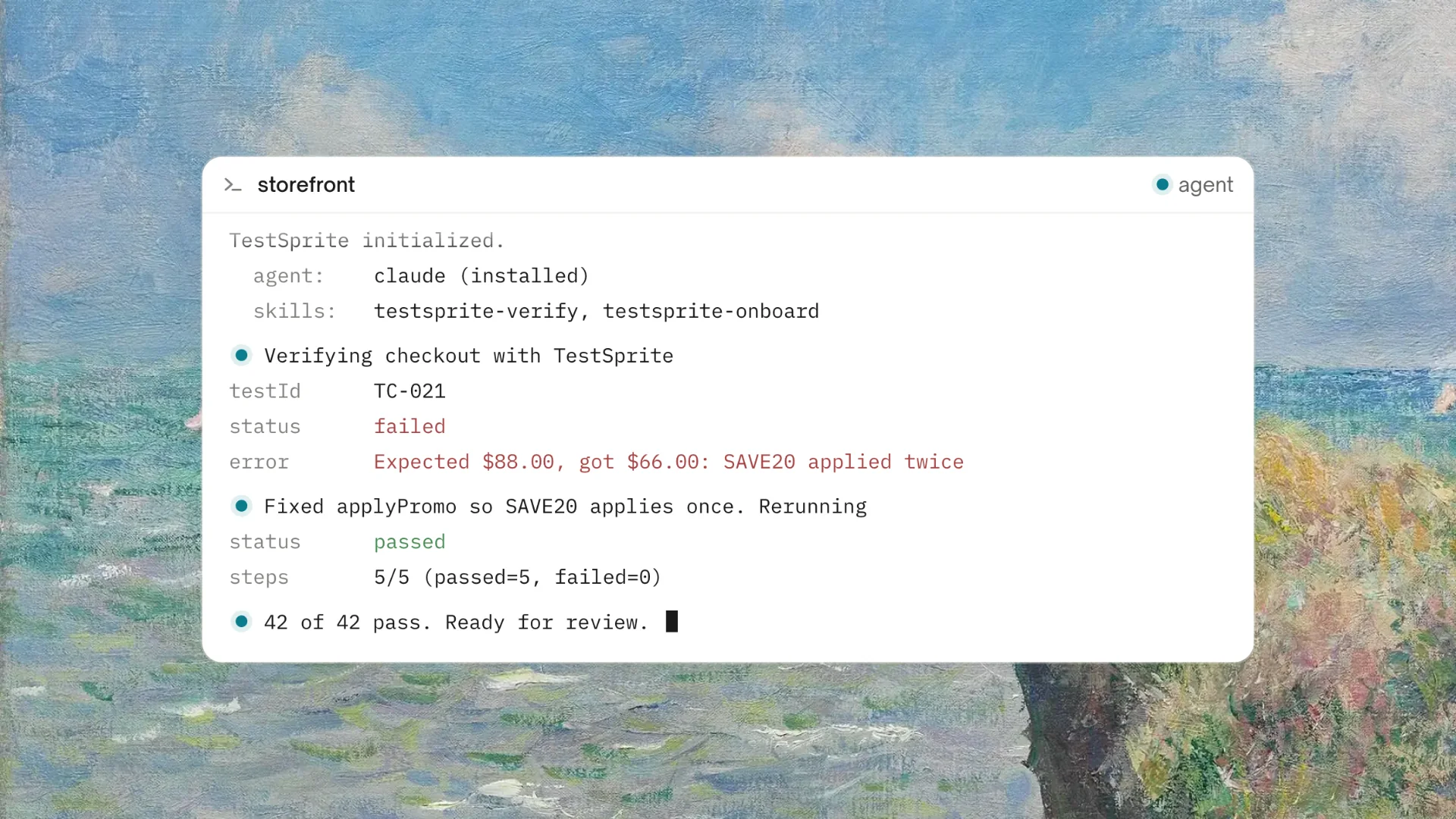
The failure description returns to the Cursor session. The coding agent locates the re-initialization that drops the promotion code data and applies the fix. The agents run the flow again to confirm.
CI Coverage for Every React Release
The GitHub Actions integration brings the same frontend E2E coverage into CI. Every pull request that includes React component changes triggers an automated test run against the preview deployment. Results post as PR comments.
For React teams that release frequently, this turns frontend E2E coverage from a manual pre-release step into a continuous automated process. Each PR gets verified individually. By release time, every component of the release has already been tested under real conditions.
The cloud sandbox handles execution: spins up in seconds, runs in isolation, tears down automatically. No test environment to provision, no browser configuration to maintain.
Conclusion
TestSprite is good for frontend E2E testing in React and web apps because it tests the right thing: the running application under real conditions, navigated by agents that behave like real users.
Component testing verifies component logic. TestSprite verifies product behavior. In a React application where bugs live in how components compose, how state transitions across flows, and how API responses affect the rendered UI, that's the coverage that catches the failures users actually experience.
Start frontend E2E testing your React app with TestSprite today.