How to Turn a Product Requirements Document Into Executable Tests Automatically
 Zeshi Du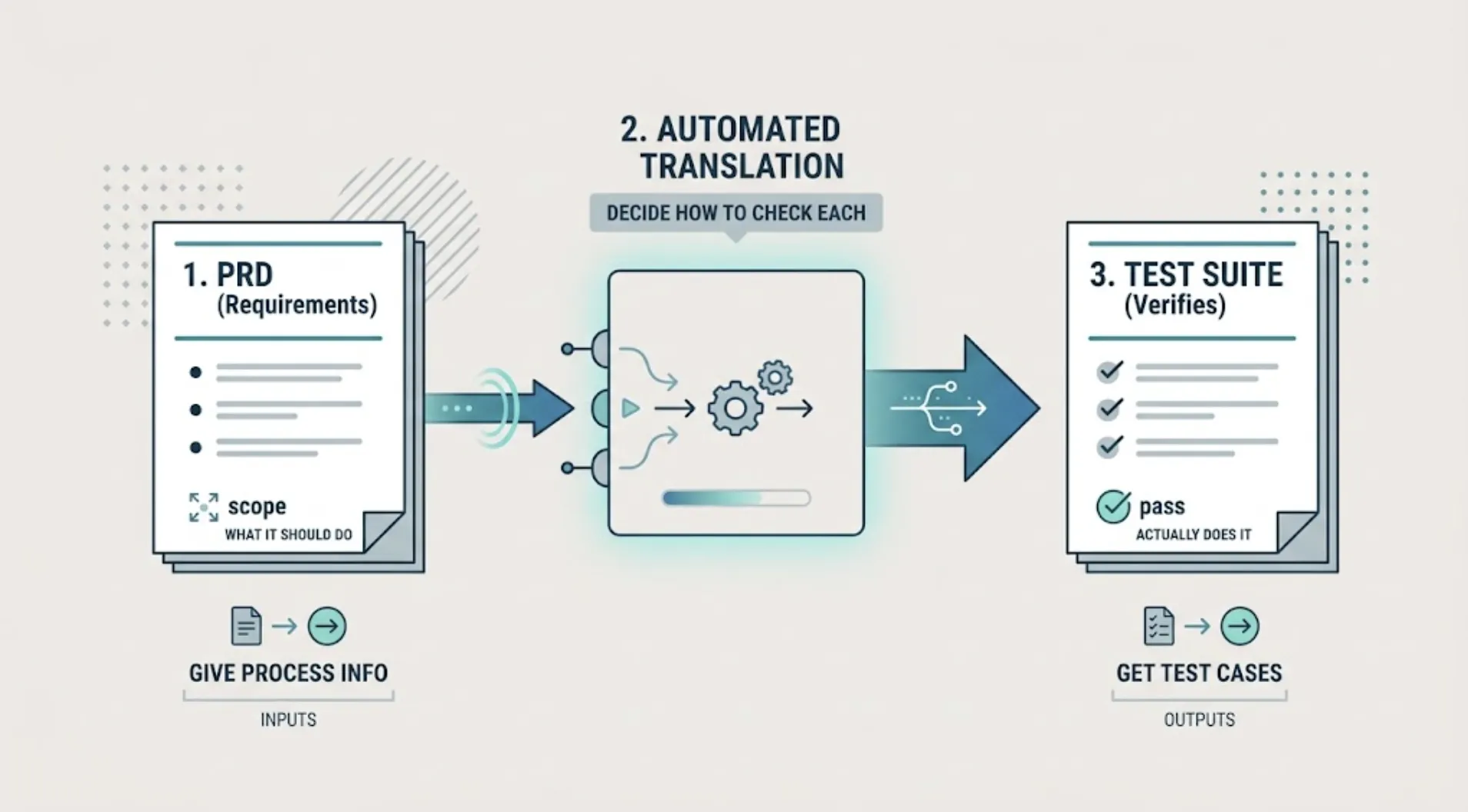
A PRD describes what your product should do. A test suite verifies that it actually does it. Between those two documents sits a translation step that, historically, only a human could do: reading requirements and deciding how to check each one.
Here's how that translation happens automatically, and what to actually give an ai test case generator to get good results.
Why this translation step usually breaks down
In a traditional workflow, someone (a QA engineer, or a developer wearing that hat) reads the PRD, breaks it into testable requirements, and writes test cases for each one. That works when there's time and a person assigned to do it.
It breaks down for exactly the reason a lot of AI-native teams are feeling right now: the PRD gets written or updated faster than anyone has time to re-derive test coverage from it, especially once an AI coding agent starts shipping against it at a pace no manual QA process was designed for. The result is a familiar pattern: the PRD says what should happen, the code does something slightly different, and nothing catches the gap because nobody translated the requirement into an actual check.
This is exactly the translation step TestSprite is built to automate.
What an ai test case generator does with your PRD
TestSprite reads your requirements document directly and builds a normalized internal version of it, structured consistently regardless of your original PRD's format, whether that's a formal spec, a rough Notion doc, or a handful of user stories. From that normalized PRD, it generates test cases that map to the actual requirements, rather than to whatever a person happened to notice while skimming the document.
“Other verification tools read your code and guess. TestSprite opens your app and uses it.”
That distinction matters here specifically. The generated tests aren't just static assertions derived from text. They get verified against your running application, so a requirement that reads correctly on paper but doesn't actually hold in the live product still gets caught.
The practical process
Upload or point to your existing PRD. Through the MCP Server in your IDE or the Web Portal, whatever format it's currently in becomes the primary source of intent. You don't need to reformat it first.
Let the agent build a normalized requirements document. This step combines your PRD with an analysis of your actual codebase: project structure, component hierarchy, API routes, and implementation patterns. When you're setting up a new project, this is the phase that grounds everything generated afterward.
Review the test plan before execution, not after. This is the step worth not skipping. A quick pass over the generated plan catches cases where the ai test case generator interpreted an ambiguous requirement differently than you intended, before that interpretation becomes dozens of generated test cases built on the wrong assumption.
Let it cover both layers from the same source. A PRD that describes a checkout flow implies both UI behavior and API behavior. TestSprite's backend testing generates from the same normalized requirements as the frontend tests, so the two don't drift into separate interpretations of the same feature.
What this changes about how you write PRDs going forward
Once you know a PRD feeds test generation directly, it's worth writing requirements with testable specificity in mind: naming distinct states and edge cases explicitly, rather than describing a feature only at a high level and assuming the details get filled in during implementation.
This isn't extra work for its own sake. It's the same specificity a competent QA engineer would have asked you for anyway, just captured upfront instead of extracted through a review meeting later. A requirement like "users can upload a profile photo" generates a thinner test plan than "users can upload a profile photo up to 5MB, with a clear error message on oversized files and unsupported formats."
What still needs your attention
An ai test case generator removes the manual translation work, not the judgment call about what matters most. You're still the one deciding which requirements carry the most risk if they silently break, and worth a closer look at the generated plan before trusting it fully. That review takes minutes against a normalized PRD, compared to the hours it takes to write the equivalent coverage by hand.
A useful habit is to treat the first generated plan for any new PRD as a draft to sanity-check rather than a finished suite to trust immediately. Skim it for two things specifically: requirements that got interpreted more narrowly than you meant, and requirements that generated no test cases at all, which usually means the wording was too vague for the generator to act on. Both are quick fixes once you spot them, and both get easier to catch the more specific your original PRD was to begin with.
A short example of how specificity changes the output
Take a requirement like "users can filter search results by category." Written that plainly, an ai test case generator has to guess at edge cases: what happens with zero results, what happens if two filters are applied at once, whether the filter state persists across a page reload. Each guess is reasonable, but none of them is guaranteed to match what you actually intended.
Rewrite the same requirement as "users can filter search results by one or more categories, filters persist across pagination, and an empty result state shows a specific message rather than a blank page," and the generated plan stops guessing. It has explicit states to check against, which is the same information a QA engineer would have asked for in a requirements review, just captured before generation instead of after.
Conclusion
Turning a PRD into executable tests automatically removes the manual translation step that usually becomes the bottleneck once AI accelerates everything else in the pipeline. The requirement still needs to be clear. What changes is who does the work of turning that requirement into a running test.
TestSprite's PRD-driven test generation handles that translation directly from your existing requirements document, formal or informal. You can try it on your own PRD for free and see what it generates before committing to anything. Most teams find the gap between what they thought their PRD said and what the generated plan actually tests is the most useful part of the first run.