How to Test a Code Change Without Re-Testing the Entire Project
 Zeshi Du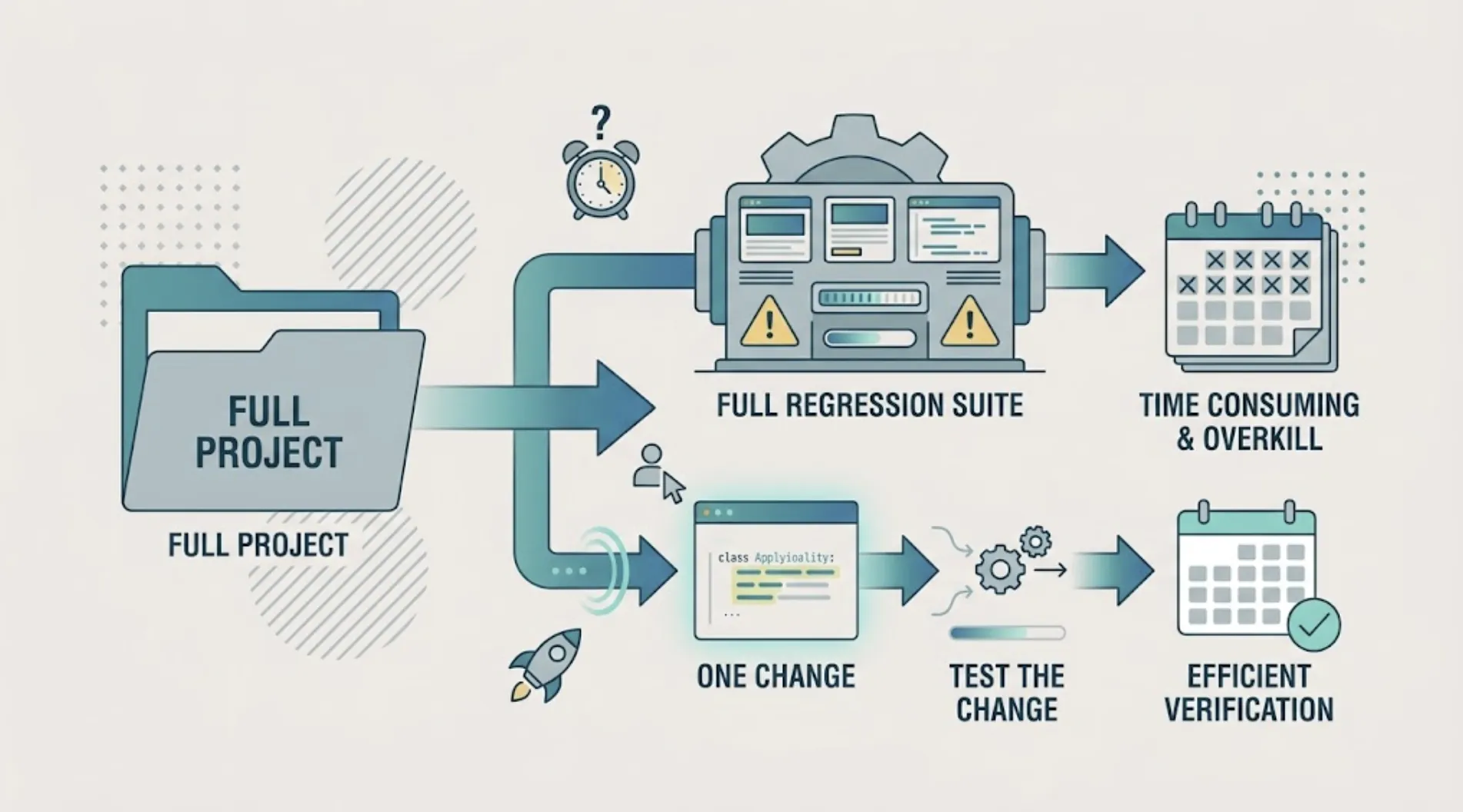
You fixed one bug or added one small feature. Running a full regression suite for that feels like overkill, but skipping verification entirely is how small changes turn into production incidents.
There's a middle path most teams don't realize autonomous testing already supports: testing just the change, not the whole project.
Why "test everything, every time" doesn't scale
A full regression sweep makes sense the first time you test a project, or after a major architectural change where you genuinely don't know what might be affected. It makes much less sense for a routine bug fix or a small feature addition, where you already know roughly what changed and where the risk is concentrated.
Running a full suite anyway costs time and credits for coverage you don't actually need re-verified, and it can slow your feedback loop enough that testing starts to feel like friction instead of a safety net, which is exactly when teams start skipping it. That's the failure mode scoped, autonomous testing is built to prevent.
The two scopes TestSprite supports
TestSprite's MCP Server supports two distinct test scopes, and picking the right one is the actual answer to this problem.
“Other verification tools read your code and guess. TestSprite opens your app and uses it.”
Codebase scope runs tests against the entire project. This is the right choice the first time you test a project, or when you haven't run a testing session in a while and want a full sweep to establish a current baseline.
Code Diff scope runs tests only against your recent, uncommitted changes. This is the scope built specifically for a targeted change: you want to verify what you just did without re-testing everything that hasn't moved.
How to actually use Code Diff scope
Make your change and leave it uncommitted, or clearly isolated in a branch. TestSprite reads the diff directly, so the scope stays accurate to what actually changed rather than what you remember changing.
Trigger a scoped run from your IDE. The same instruction pattern applies: point the agent at the change and let it map the diff to the specific requirements it affects, generating or re-running only the tests relevant to that scope. Adding coverage for a new feature follows the same underlying mechanism when the change is additive rather than a fix.
Let the agent decide what's actually affected, not just what file changed. A change to a shared utility function can affect several features that call it, even if only one file shows up in the diff. Autonomous testing that maps a diff to requirements, not just to file paths, catches that wider blast radius instead of only checking the file that changed.
When to choose full codebase scope instead
A few situations call for the broader sweep even for what feels like a small change: after a dependency upgrade, where the blast radius is genuinely unpredictable, after a refactor that touches shared infrastructure code across multiple features, or any time you're not confident the change is actually as contained as it looks. When in doubt, the cost of an unnecessary full sweep is lower than the cost of a missed regression from under-scoping.
What this actually saves in practice
Beyond the obvious time savings, diff-scoped testing changes the psychology of routine changes. A full regression suite that takes twenty minutes to run discourages testing small, frequent changes. Teams start batching changes together just to make the testing overhead feel worth it, which itself increases risk by making each test run cover more ground at once.
A fast, targeted test for a small change removes that disincentive, making it realistic to verify every change as you make it rather than saving verification for a less frequent, larger batch. Scheduling a broader sweep on a regular cadence through Monitoring covers the baseline, while diff-scoped runs handle everything in between.
Building this into your actual daily habit
The value compounds the more routinely you use it, rather than saving it for occasional check-ins. A useful habit: run a diff-scoped test after every meaningful change, before moving on to the next task, rather than batching several changes together and testing them all at once at the end of the day. Batching makes it harder to isolate which specific change introduced a regression, since the diff being tested now covers several unrelated edits instead of one you can reason about clearly.
This habit is also what makes fast, frequent shipping with an AI coding agent sustainable rather than reckless. The agent generates code quickly. A fast, targeted test after each change keeps verification moving at roughly the same pace, instead of verification becoming the step that quietly falls behind everything else while the rest of the workflow speeds up.
A quick way to tell if you're under-scoping
If a diff-scoped run keeps coming back clean but bugs still show up later in areas the diff didn't obviously touch, that's usually a sign the change had a wider blast radius than the file list suggested, most often through a shared utility, a global state object, or a configuration value used in more places than expected. When that pattern shows up more than once on a project, it's worth switching to full codebase scope for a run or two to re-establish a trustworthy baseline, rather than assuming the diff scope missed something arbitrary.
It's also worth periodically running a full sweep even when diff-scoped runs have been clean, simply because a diff scope only proves the recent change didn't break what it touched. It doesn't re-confirm that everything untouched is still working as expected on its own timeline, which is exactly what Monitoring's scheduled runs are for.
Conclusion
Testing a code change doesn't require re-testing the whole project every time. Scoping to your recent diff, and mapping that diff to the specific requirements it affects, gives you a fast, targeted check for routine changes while full codebase sweeps stay reserved for when they're actually warranted.
TestSprite supports both scopes directly from your IDE, so you can try it free and choose the right one for the change in front of you. Over a few weeks of routine use, the pattern of which scope you reach for usually settles on its own, diff-scoped runs for the day-to-day, full sweeps for the changes that genuinely warrant them.