How to Design a Repeatable Code-Test-Fix Loop Your Whole Team Can Follow
 Rui Li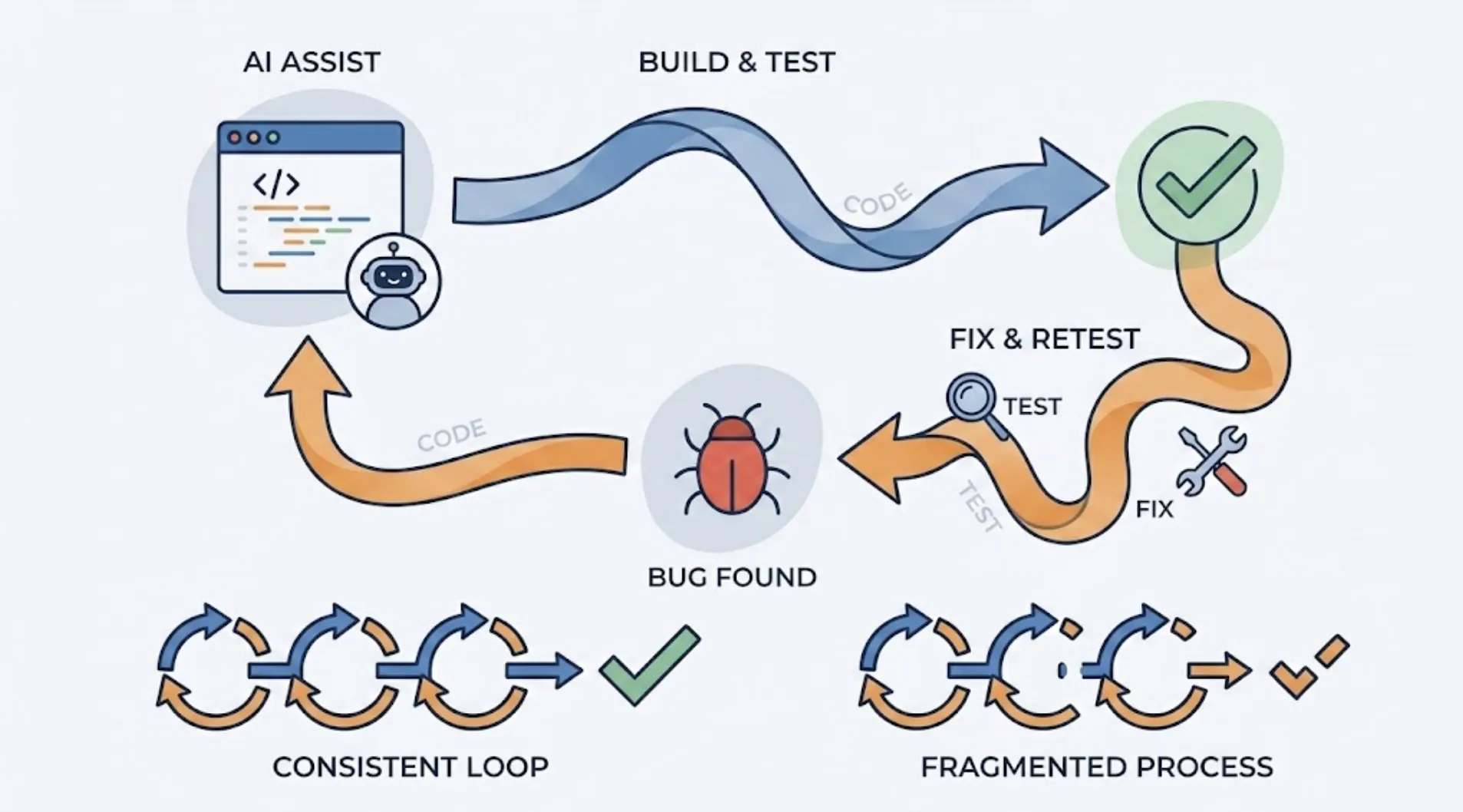
Most teams that use an AI coding agent have some version of a test-and-fix habit. Almost none of them have written it down. It lives in each developer's head, slightly different from person to person, which means the loop that catches bugs on Monday might not run at all on Friday when someone's in a hurry.
A repeatable loop isn't about adding process for its own sake. It's about making sure the verification step survives contact with a deadline.
Why the Loop Breaks Down Without a Definition
Ask five developers on the same team when they test an AI-generated change, and you'll get five different answers. Some test after every file edit. Some wait until the feature feels done. Some skip it entirely when the diff looks small and the change feels obvious.
That inconsistency isn't a discipline problem. It's a design problem. If the loop isn't defined as a concrete, repeatable action with a clear trigger, everyone invents their own version, and the version that survives a busy sprint is usually the shortest one.
A team that wants AI-generated code to stay reliable needs the loop to be a habit that doesn't depend on how careful any one person feels that day.
The Three Parts Every Version of the Loop Needs
Strip away the tooling and every effective code-test-fix loop has the same three parts.
A trigger. Something specific that starts the loop, not a vague sense that testing should happen "at some point." The clearest trigger is the end of an AI coding session: the agent stops producing changes, and the loop starts.
A verification step that runs at the product layer. Reading the diff and confirming it looks reasonable isn't verification. The loop needs to actually exercise the application the way a user would, because that's where AI-generated code most often fails in ways a code review misses.
A feedback path back to the same agent, in the same session. If the failure information lands somewhere the developer has to go find later, half the value is lost. The fix is fastest when the context is still warm.
Designing the Trigger So It Actually Fires
The most reliable trigger point is a single sentence, typed at the moment the AI coding agent finishes a task: "Help me test this project with TestSprite."
That's the whole instruction. Through the TestSprite MCP Server, connected to Claude Code, Cursor, Windsurf, or any MCP-compatible IDE, that sentence starts the full pipeline: discover, plan, generate, execute, analyze, heal, report.
Other verification tools read your code and guess. TestSprite opens your app and uses it.
Making the trigger this simple matters more than it sounds. A trigger that requires switching tools, opening a dashboard, or configuring a test run is a trigger that gets skipped under time pressure. A trigger that's one sentence in the same window the code was written in survives busy weeks.
A Scenario: A Field Service Scheduling Team Standardizes the Loop
A small team builds a scheduling tool for field service crews, the kind of product that assigns technicians to jobs and tracks which crew is where. One developer uses Claude Code to add a bulk reassignment feature, letting a dispatcher move several jobs from one crew to another in a single action.
The diff looks clean. The reassignment logic runs, the jobs move, the UI updates.
The developer types the trigger sentence. TestSprite's exploration agents open the scheduling dashboard and run the bulk reassignment the way a dispatcher actually would: selecting multiple jobs, choosing a new crew, confirming the move. The test finds that two of the reassigned jobs still show the original crew's name in the day view, even though the underlying record updated correctly. A caching layer in the day view component wasn't invalidated by the bulk action, only by single-job reassignment.
The failure returns to the Claude Code session with the specific detail: which jobs, which view, what displayed versus what should have displayed. The agent locates the missing cache invalidation call and proposes the fix. The developer applies it, retriggers the same sentence, and confirms the day view now updates correctly across all reassigned jobs.
The whole cycle took one sentence at the start and one sentence to confirm the fix. Nothing about it depended on the developer remembering to test carefully.
Making the Loop a Team Standard, Not a Personal Habit
Once the loop works for one developer, the next step is making it the default for everyone, not something each person adopts independently.
That means putting the trigger sentence in the team's onboarding docs, not just in one engineer's muscle memory. It means agreeing that no AI coding session ends without the trigger running, the same way a team might agree that no PR merges without a passing build. Scheduled regression runs through the TestSprite Web Portal extend the same coverage overnight, catching anything that accumulated across a day of sessions where the in-session trigger got skipped.
For teams running the GitHub Actions integration, the loop gets a second checkpoint: every pull request triggers a test run against the preview deployment automatically, regardless of whether the in-session trigger fired. Results post as PR comments, so the reviewer sees product-layer coverage even if the developer forgot the sentence entirely.
That redundancy is the point. A loop that depends on one person remembering one step, every time, isn't actually repeatable. A loop with a trigger, a CI backstop, and a scheduled sweep is.
Conclusion
A code-test-fix loop only protects a team if it's specific enough that everyone runs the same version of it. The trigger has to be simple enough to survive a deadline, the verification has to happen at the product layer, and the feedback has to land back in the same session where the code was written.
TestSprite makes the trigger a single sentence and closes the loop from there: discover, plan, generate, execute, analyze, heal, report, all inside the IDE where the AI coding agent is already working.
Set up TestSprite and give your team a code-test-fix loop that doesn't depend on anyone remembering to run it.