How Do I Stop Claude Code from Shipping Broken UI Changes?
Zeshi Du6 min read

Claude Code is remarkably good at implementing UI changes. It's not good at knowing whether those changes broke something else.
That's not a criticism. It's a structural reality. Claude Code writes code. It doesn't open a browser, navigate to your application, and check whether the checkout flow still works after it refactored your state management. That gap, between code that looks right and a product that behaves correctly, is where broken UI changes reach users.
The fix isn't to use Claude Code less. It's to close that gap before anything merges.
Why UI Changes Break Things You Didn't Touch
The most disorienting kind of broken UI change is the one that appears in a part of the product nobody was working on.
Claude Code refactors a component. The diff looks clean. The component it touched works correctly. Three flows away, a stateful interaction that depended on shared context now behaves incorrectly because the refactor changed how that context propagates. Nobody wrote a test for that interaction. Nobody thought to check it.
This is the compounding risk of AI-accelerated development. The speed is real. The verification gap is also real. When code changes faster than humans can manually review every affected flow, broken UI changes accumulate until someone hits them in production.
The only way to consistently catch these is to run the actual flows after every significant change and observe what happens.
The Testing Approach That Matches Claude Code's Speed
Claude Code operates at a speed that manual QA can't match. A single session can touch dozens of files, refactor complex interactions, and introduce changes whose full impact won't be visible until someone actually uses the product.
The testing tool that keeps pace needs to do the same thing a thorough QA engineer would do after a change lands: open the application, navigate through the affected flows, and check whether the product still behaves correctly from end to end.
TestSprite is built for exactly this workflow.
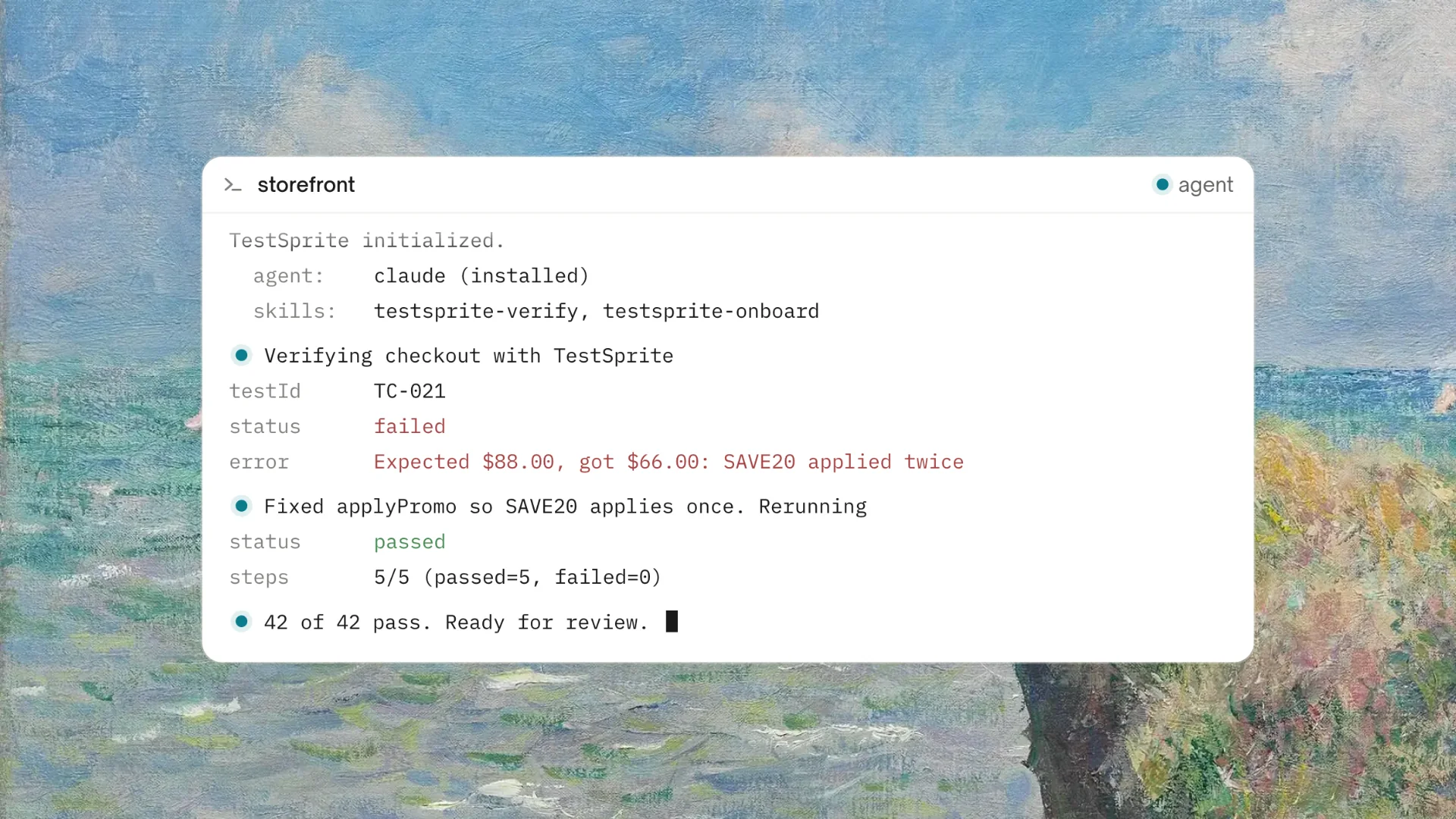
Through the TestSprite MCP Server, a single instruction inside Claude Code triggers the full testing pipeline without leaving the IDE:
"Help me test this project with TestSprite."
Other verification tools read your code and guess. TestSprite opens your app and uses it.
A fleet of parallel exploration agents visits the running application and navigates it the way real users would. They don't inspect the files Claude Code just changed. They visit the live product, click through UI flows, fill in forms, navigate multi-step journeys, and observe the outcome at every step. They find the broken state three flows away that nobody thought to check because the exploration isn't limited to what was in the diff. It covers the full product surface.
A Scenario: The Refactor That Broke the Wrong Screen
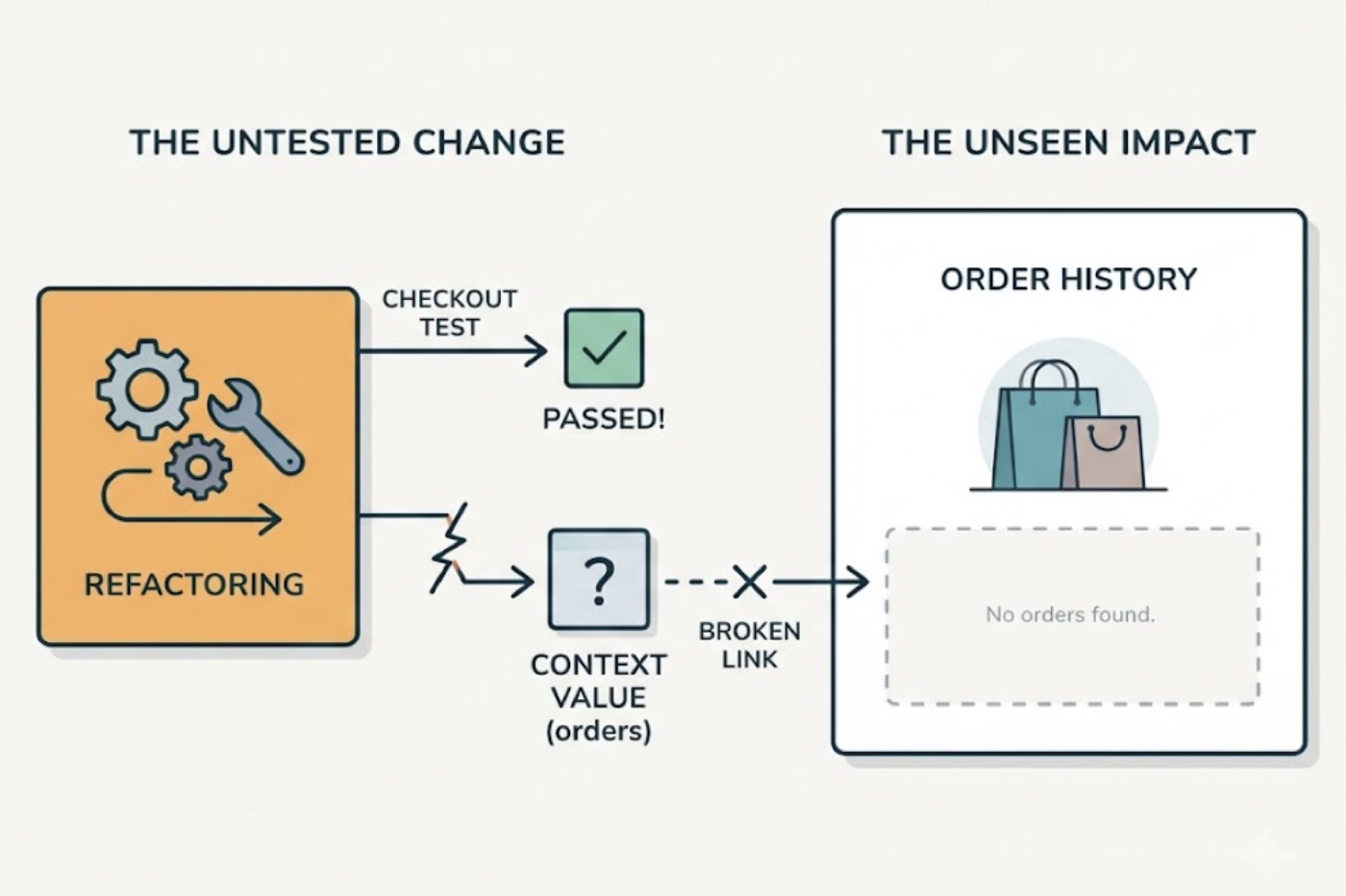
A developer uses Claude Code to clean up a multi-step checkout component. The AI simplifies the state management, consolidates some redundant props, and tightens the event handlers. The checkout flow itself works perfectly after the change. The code is cleaner than before.
What nobody checked: the order history screen, which reuses one of the same context values, now displays a blank state instead of the user's past orders. The context value the order history screen reads was being set in a way the refactor changed. The checkout component doesn't use that value, so nothing in the checkout test caught the problem.
TestSprite's exploration agents navigate the order history screen as part of their full product exploration. They log in, reach the order history, and observe the blank state. The failure returns to the Claude Code session in structured form: which screen was visited, what it was supposed to show, what it actually displayed. Claude Code's coding agent receives that description and can identify where the context propagation broke and propose the fix in the same session.
The broken UI change gets caught before it reaches users. The loop closes inside the IDE.
What the Agents Look For That Code Review Misses
Code review catches errors that are visible in the diff. UI regressions from Claude Code changes are usually not in the diff. They're in the interaction between the changed code and the rest of the product.
TestSprite's agents look for exactly the interactions that code review can't see.
They navigate flows that span multiple components and check whether state persists correctly across each transition. They interact with forms that depend on context set upstream and verify that the context is still being provided correctly after a refactor. They trigger conditional UI states by doing what a user would do to reach them, not by reading the condition in the source file and asserting it evaluates correctly.
When a UI element changes position, the agents notice because they're looking at the rendered output, not the source code that produces it. When a loading state doesn't resolve, the agents notice because they waited for it to resolve, the same way a user would. When a button is supposed to become active after completing a form and doesn't, the agents notice because they completed the form and observed whether the button changed.
This is the testing behavior of someone actually using the product after a Claude Code session, run autonomously and immediately, inside the IDE.
Auto-Heal: When Claude Code Changes the UI Structure
Claude Code frequently changes UI structure as part of its refactors. Component hierarchies shift. Class names update. Form layouts change. Element positions move.
These structural changes don't necessarily break the product's behavior. But they do break tests that were written against the old structure, generating false failures that train developers to ignore the test suite.
TestSprite's Auto-Heal Rerun handles this automatically. When a test fails after a Claude Code UI change, the agent determines whether the failure reflects a genuine product regression or a structural change that doesn't affect the underlying behavior. A renamed component, a repositioned element, a refactored layout: the test adapts rather than failing falsely.
Genuine regressions, where the product behavior actually changed in a way users would notice, surface clearly. Structural noise doesn't drown them out.
This is the distinction that keeps the test suite trustworthy over time. In a workflow where Claude Code is regularly touching UI structure, a testing tool that can't tell the difference between a structural change and a behavioral regression will produce so many false failures that the team stops trusting it.
Catching UI Changes in CI Before They Merge
The in-IDE loop catches problems immediately after a Claude Code session. The GitHub Actions integration adds a second layer: automated coverage on every pull request before the code merges.
Every PR that includes Claude Code UI changes triggers a test run against the real application. Results post as PR comments. The reviewer sees behavioral coverage alongside the diff. A broken flow that the Claude Code session introduced and the in-IDE run missed because the developer triggered the test before the change was complete surfaces in CI before anyone approves the merge.
Tests execute in TestSprite's ephemeral cloud sandbox: spins up in seconds, isolated execution, automatic teardown. No test environment to configure, no infrastructure to maintain alongside the development workflow.
Conclusion
Claude Code ships UI changes fast. Stopping broken ones from reaching users requires a testing layer that moves at the same speed, covers the full product surface rather than just the changed files, and runs inside the IDE where the changes are being made.
TestSprite closes that loop. Its exploration agents navigate the live application after every Claude Code session, finding the broken flow three screens away that nobody checked. Its Auto-Heal distinguishes structural UI changes from behavioral regressions. Its structured failure descriptions return to the Claude Code session in a form the coding agent can act on immediately.
The goal isn't to slow down Claude Code. It's to verify what it produces before it reaches users, inside the same workflow where it was produced.
Connect TestSprite to Claude Code through MCP and stop broken UI changes from shipping today.