Introducing TestSprite 4.0: A Testing Agent That Remembers What Your App Should Do
Coding agents fix one thing and break another. TestSprite 4.0 is a testing agent you brief like a QA engineer, and it checks every change before your customers do.
Yunhao Jiao14 分で読めます


Today we’re launching TestSprite 4.0, a brand-new testing agent for teams that build with coding agents. Tell it in plain words what your app should do, or hand it a spec or a ticket. It opens your running app in a real browser, works out how it behaves, writes the tests, runs them, and tells you which failures are real bugs. Then it keeps checking every change, from wherever your team works: the web app, a pull request, Slack, Linear or Jira.
We built it because of a pattern we kept seeing this year. Teams shipped with a coding agent and an AI code reviewer, and nobody clicked through the product anymore. The bugs piled up quietly, until customers found them all at once.
Two green checks, one broken store
Coding agents have become good at checking their own work. Claude Code has a command for it, /verify, which builds and runs your app “to confirm a code change does what it should.” It is good at exactly that: the change in front of it.
The bugs that reach customers mostly live somewhere else, in a part of the app nobody changed. When several agents work in parallel, there is a new place to look: the merge. To show it, we built a small online store and planted a bug on purpose.
The store needed two features before Black Friday: coupon codes and sale prices. Its spec was ten lines long. Line 4 said: “Items on sale are not eligible for coupons.”
The first pull request added coupon codes and made the coupon skip any product tagged as on sale. /verify passed it. The second added sale prices, with the old price crossed out. A crossed-out price already says “on sale,” so this change dropped the tag. /verify passed that too, and noted: “Nothing else in the code reads onSale, so removing that flag breaks nothing today.”
On that branch, it was true. Then GitHub merged both with no conflicts, because they never touched the same lines. Now the coupon looked for sale tags and found none.
TestSprite had built 29 tests from the ten-line spec. Before the merge, they found nothing wrong. After it, the test named “Do not discount sale items with a coupon” went red. It had put a $20 mug and a tote marked down from $60 to $40 in the cart, and typed SAVE10. The coupon should have taken $2 off the mug alone. It took $6 off the whole cart, and the test reported: “SAVE10 was applied, but the discount was not limited to the eligible regular item.” On Black Friday, that is every sale item in the store, discounted twice.
Neither check could see it, because neither change was wrong on its own. You can point /verify at a merge, if you know to look there. A regression suite doesn’t need to know where to look. It checks everything the app should do, on every change.
Any test written from line 4 of the spec would have caught it. That is the point. Someone has to write that test before anyone knows which merge will break it, and keep writing tests like it as the spec grows. TestSprite writes them from the spec and runs all of them on every change.
Where “correct” comes from
Why not have a coding agent write Playwright tests and run them in CI? Because a test written from the code takes its right answer from the code. It reads what checkout does today and asserts that, bugs included. The test doesn’t miss the bug. It protects it.
TestSprite 4.0 takes the right answer from what the app is supposed to do: a spec, a ticket, a design, or a few sentences from the person who knows. That answer changes only when a person decides it should.
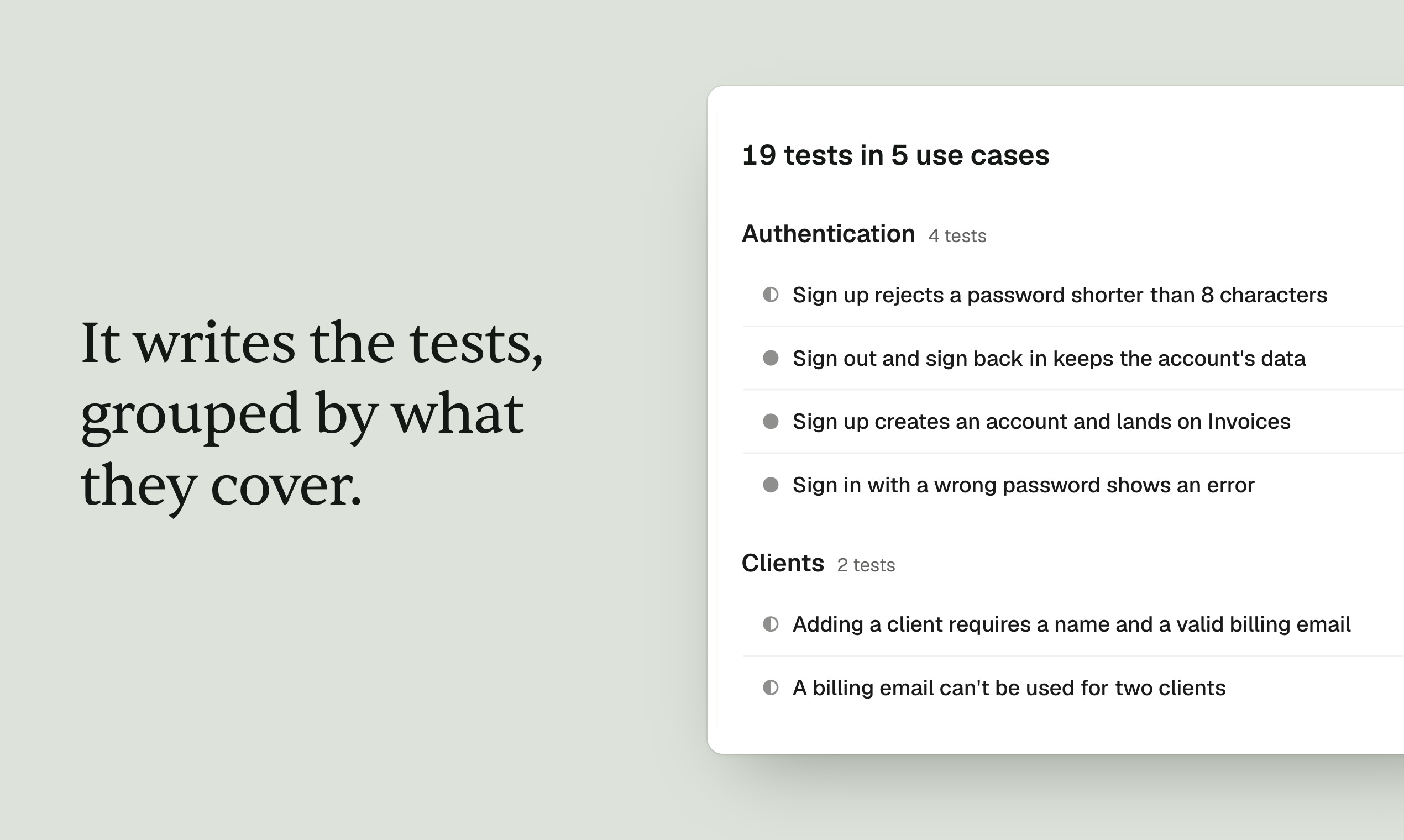
Meet the agent
You brief TestSprite 4.0 in a chat, the way you would brief a new QA engineer.
- You say what the app should do. Plain words are enough. A PRD, a Jira or Linear ticket, or a Figma file makes it sharper.
- It explores before it writes a test. It signs itself in, one-time codes included, and remembers your app between runs.
- It asks instead of guessing. When your spec is silent, it lists its assumptions and waits for your answer.
- It runs the tests in real browsers, many at once, and records every step. On the backend, it tests flows that span several requests and cleans up what it created.
- It tells real bugs from noise. Each failure is sorted into a real bug, a broken test or a broken environment, with what should have happened, what did, and the recording.
- What a test expects changes only with your approval. If a button moves, the agent updates the steps. If the app stops doing what you asked for, the test fails.
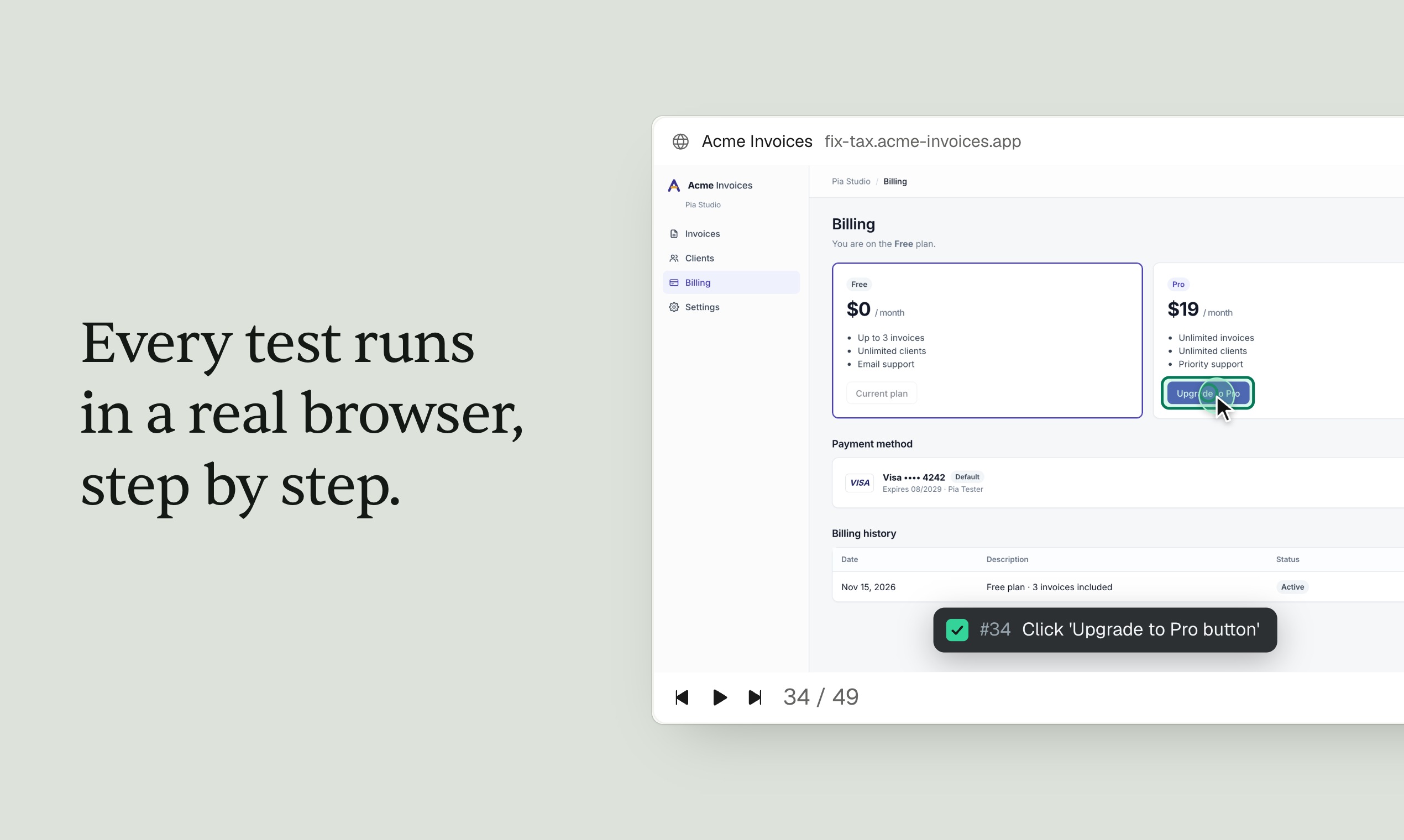
In a second demo, our whole brief was one paragraph about an invoicing app, starting “Test my app at [URL]. Here is what it should do.” Before writing a single test, the agent paid for the app’s Pro plan (the demo takes no real payments), saw “Welcome to Pro!”, and found the account still on the Free plan. “Customers would be charged and stay blocked,” it reported. Then it asked about what the brief didn’t say: should totals round each line, or only the total? “The two can differ by a cent,” it wrote. “Which should it be?” Its first run passed 15 of 17 tests. The two failures were the two bugs we had planted.
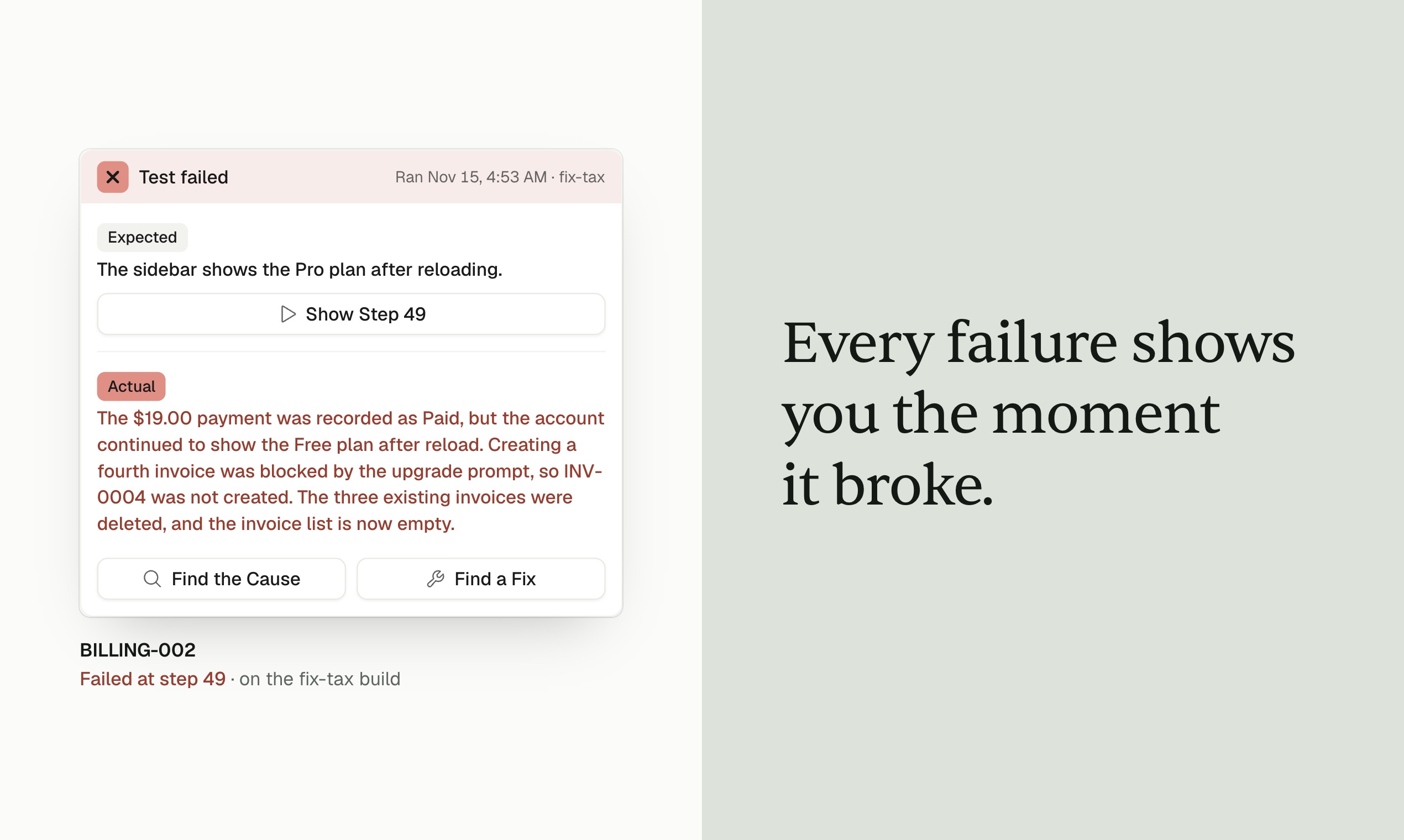
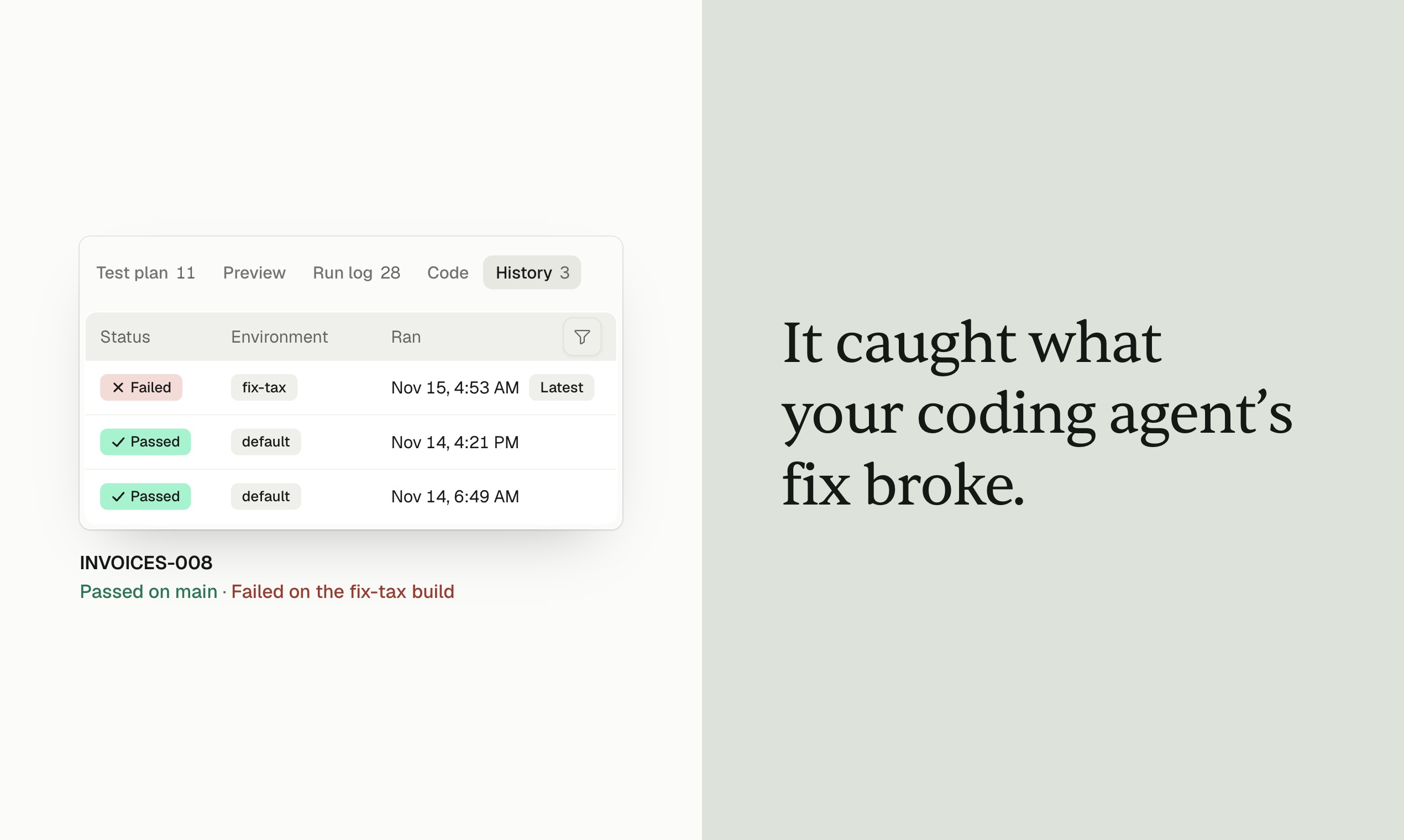
Then we deployed a fix for the tax bug with a second bug planted in it: invoices without a discount now charged no tax. Pointed at the new build, the agent re-ran the suite, now 19 tests, confirmed the fix, flagged the one test that had passed before and now failed, and reproduced it by hand. “I’d hold this build,” it wrote.
It is also cheap to run. In our tests, having TestSprite write and run 200 UI integration tests cost $4.60. Handing the same job to a general-purpose agent, GPT-6 Astra, cost $428, about 100 times more, for similar accuracy in running the tests.
From pull request to fix
Picture a coding agent opening a pull request late at night. TestSprite runs the suite against the environment you picked and posts the result as a status check. A failing test can file a ticket in Linear or Jira, and the run lands in your team’s Slack channel. By morning, the whole story is waiting in TestSprite: the run, a recording of every step, and the agent’s verdict on each failure.
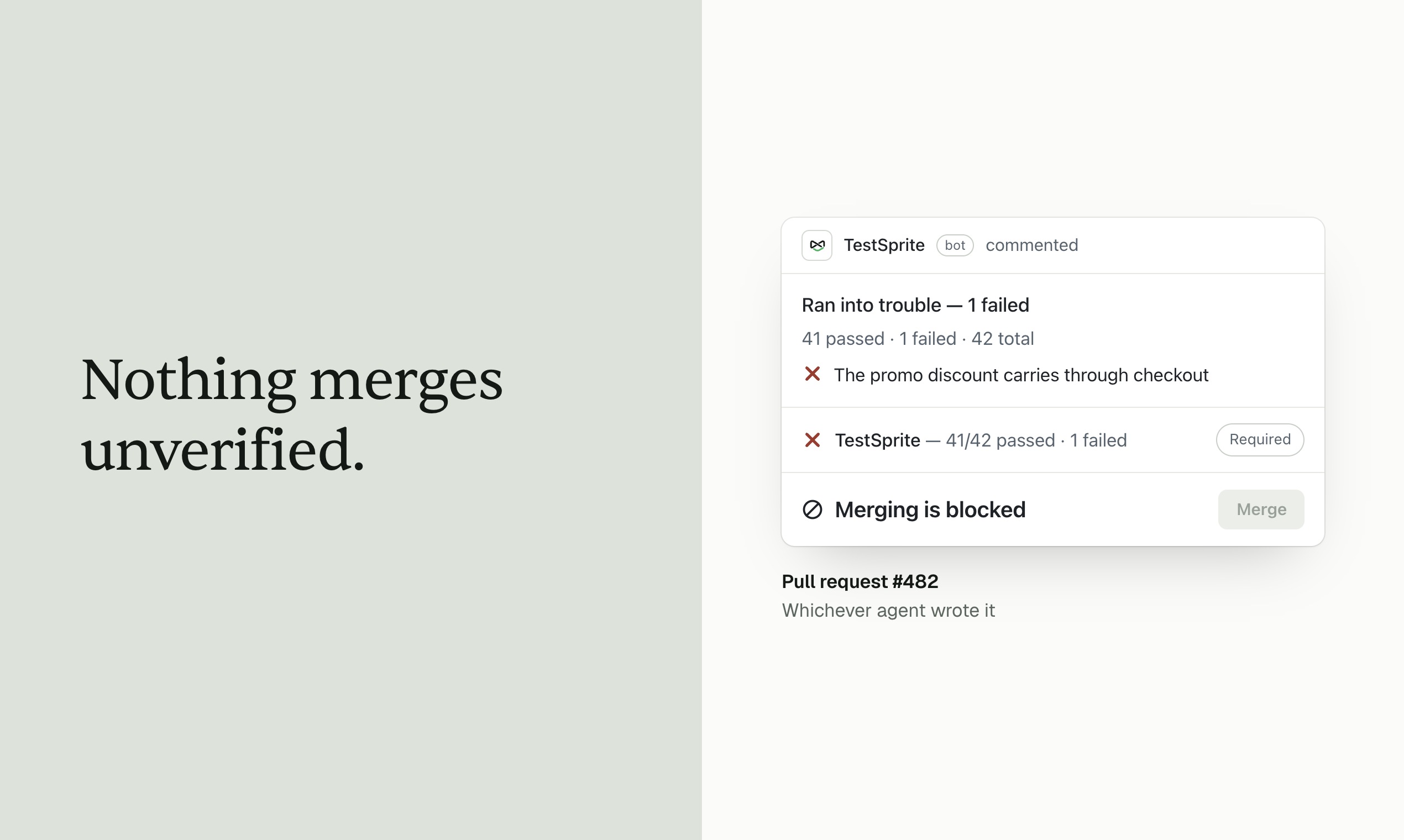
Connect GitHub and the suite runs on every push or pull request; the agent uses your code to find what to test, while what each test expects still comes from your spec. Connect Figma and it checks that what was built matches what was drawn. For teams that live in the terminal, the open-source TestSprite CLI lets the coding agent you already use hand testing to the same agent.
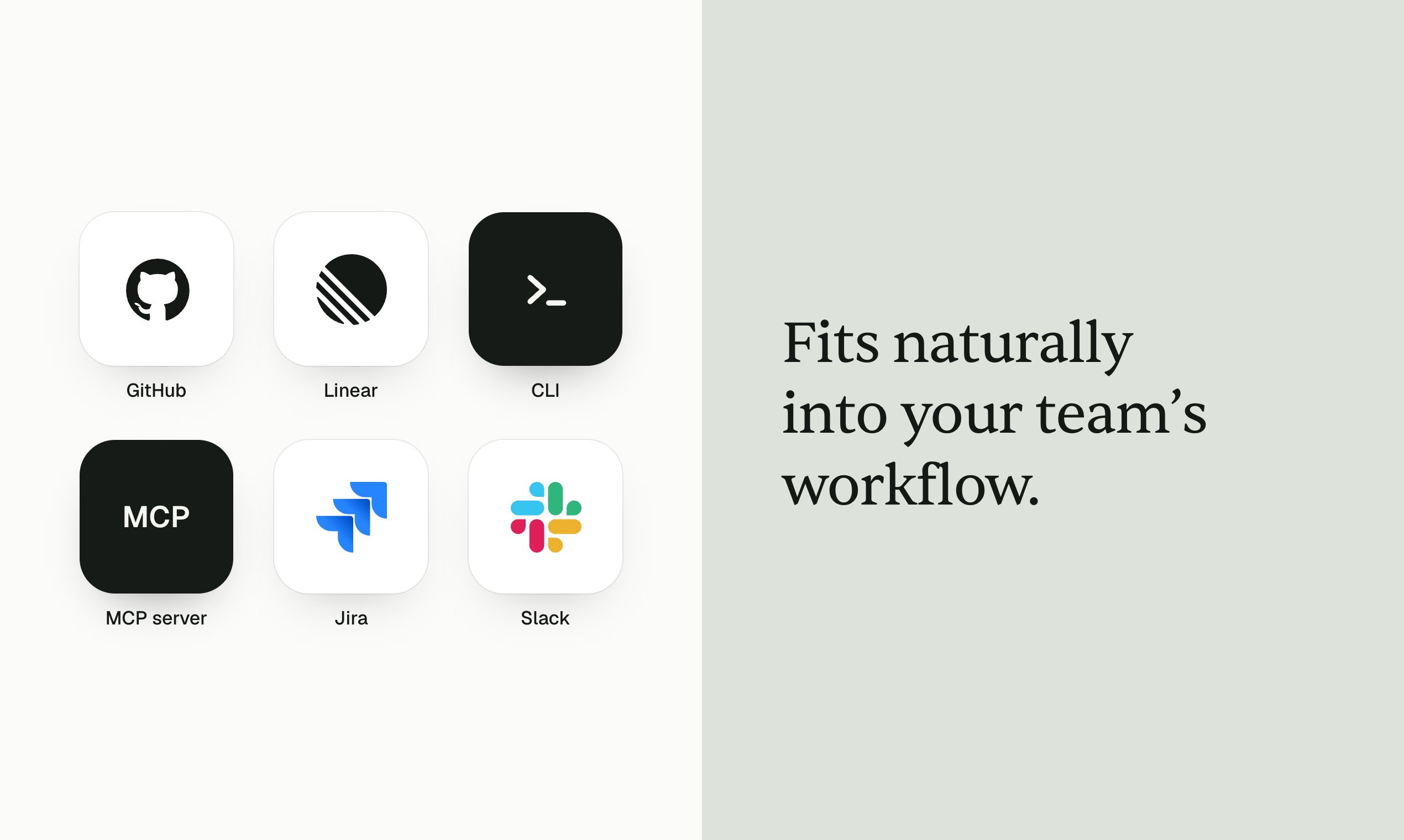
If you already use TestSprite, you keep what you set up, from test lists and schedules to the GitHub app, Slack and Jira. What’s new is the agent on top of it: one conversation that plans, writes, runs and sorts out the tests, and a plan you approve before anything runs.
It tests TestSprite, too
We test TestSprite with TestSprite. In the week before launch, the agent ran hundreds of tests against the 4.0 build in real browsers, judging every step by what was on the screen. It flagged more than a dozen real problems that a scripted check would have waved through, because the page loaded and the button worked. For example:
- Functionality. A “Back to Home” button sent signed-in users out of the product, to the marketing website.
- UX. A delete confirmation never said which list it was about to delete, one click away from removing the wrong one. A search with no matches told people they had no lists at all, in a workspace that had 11.
- UI. The same action was labeled two different ways on different pages, and timestamps were written in two formats: small things a person notices at once and a scripted check never does.
And one test kept failing on a feature our own log said was fixed. The fix did exist. It had passed its checks and was sitting in a pull request nobody had merged.
Getting started
Sign up, paste your app’s address and a few sentences about what it should do, and the agent starts exploring. TestSprite works on any web app it can open in a browser, and on APIs, whatever built them: Lovable, Bolt, Claude Code or a team of engineers. Every test it writes is also code you can read and edit.
The free plan includes the agent, pull-request testing on one repository and Slack notifications; paid plans start at $19 a month. TestSprite is also on AWS Marketplace, and teams that need SSO, SCIM, audit logs or a single-tenant deployment can talk to us about Enterprise.
Coding agents made writing software fast. TestSprite 4.0 is how you keep it working.