What Are the Best Playwright Alternatives for AI-Powered E2E Testing?
Zeshi Du5 min read

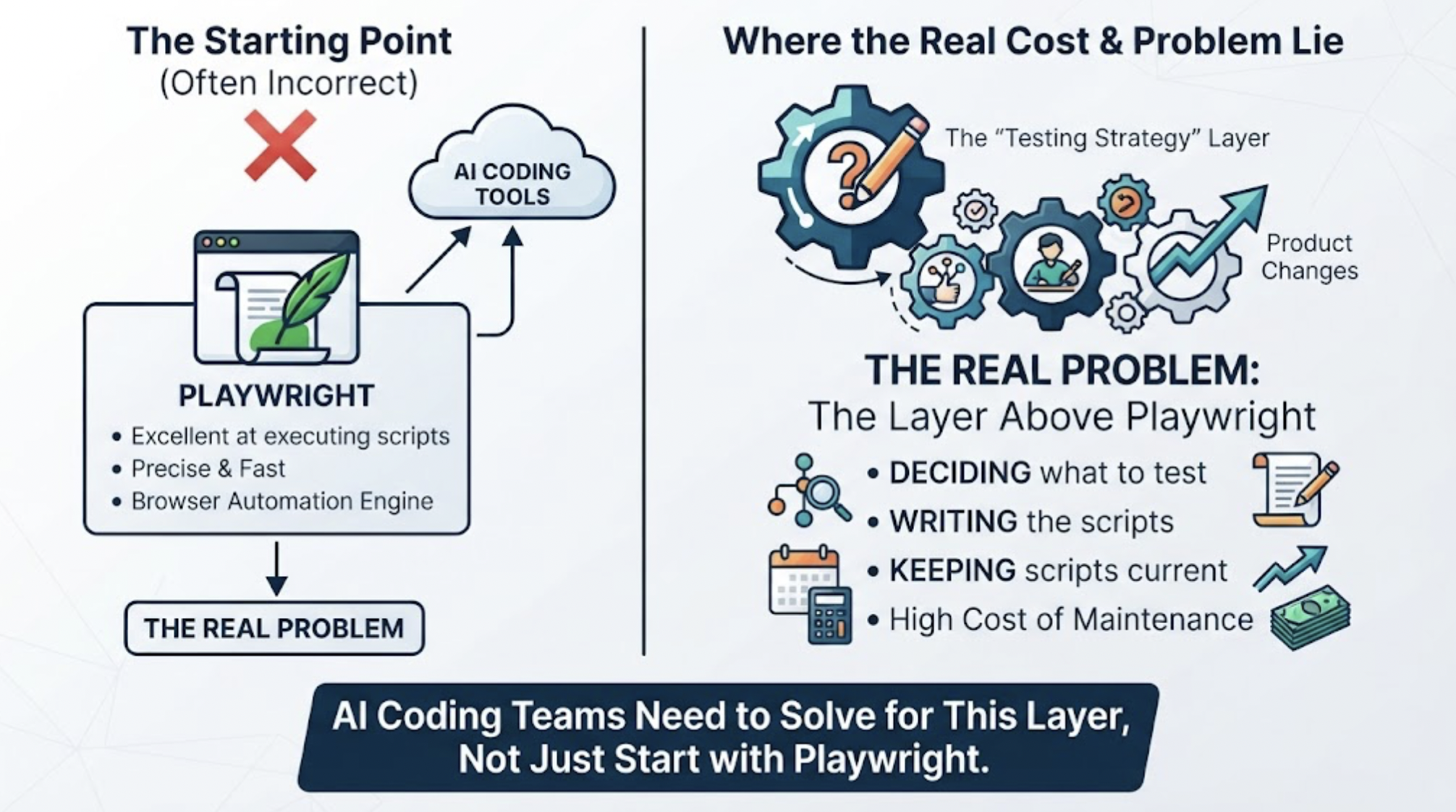
The question assumes Playwright is the starting point. For teams building with AI coding tools, it often shouldn't be.
Playwright is excellent at what it does: executing browser automation scripts with precision and speed. The problem isn't Playwright. The problem is the layer above it, the layer where someone decides what to test, writes the scripts, and keeps them current as the product changes. That layer is where the real cost of E2E testing lives, and it's the layer that AI coding teams most need solved.
The best alternatives for AI-powered E2E testing aren't different scripting frameworks. They're tools that eliminate the scripting layer entirely.
Why Playwright Isn't the Right Starting Point for AI Coding Teams
Playwright requires scripts. Scripts require decisions about what to test, how to navigate to each state, which assertions to make, and what inputs to use. For a developer whose primary concern is building product, those decisions represent a significant ongoing investment.
When that developer uses Cursor or Claude Code, the situation compounds. The AI coding agent changes implementation details constantly: component names, state management patterns, API response structures, routing logic. Every change is a potential Playwright script update. The maintenance burden grows with every session.
For a team starting from zero test coverage, choosing Playwright as the E2E testing foundation means committing to ongoing test authoring and maintenance as a parallel responsibility to product development. For a team using AI coding tools that changes implementation details frequently, that commitment is particularly expensive.
The right question isn't "which Playwright alternative should I use?" It's "what E2E testing approach fits how my team builds?"
What AI-Powered E2E Testing Actually Means
The phrase "AI-powered E2E testing" gets applied to tools that do very different things.
One approach: AI generates Playwright or similar scripts from code inspection or recorded user sessions. The AI is in the script generation step. The scripts still get executed and still need maintenance when the implementation changes.
A second approach: AI agents navigate the running application, discover flows by interacting with the product, and verify outcomes from the user's perspective. The AI is doing the testing work, not generating artifacts that need human oversight to stay current.
The second approach doesn't require the developer to specify what to test. It doesn't require maintaining scripts. It catches the integration failures that only appear when someone actually uses the product.
TestSprite is built on the second approach.
How TestSprite Works for Teams Starting Fresh
For teams with no existing E2E coverage, TestSprite is a different kind of starting point.
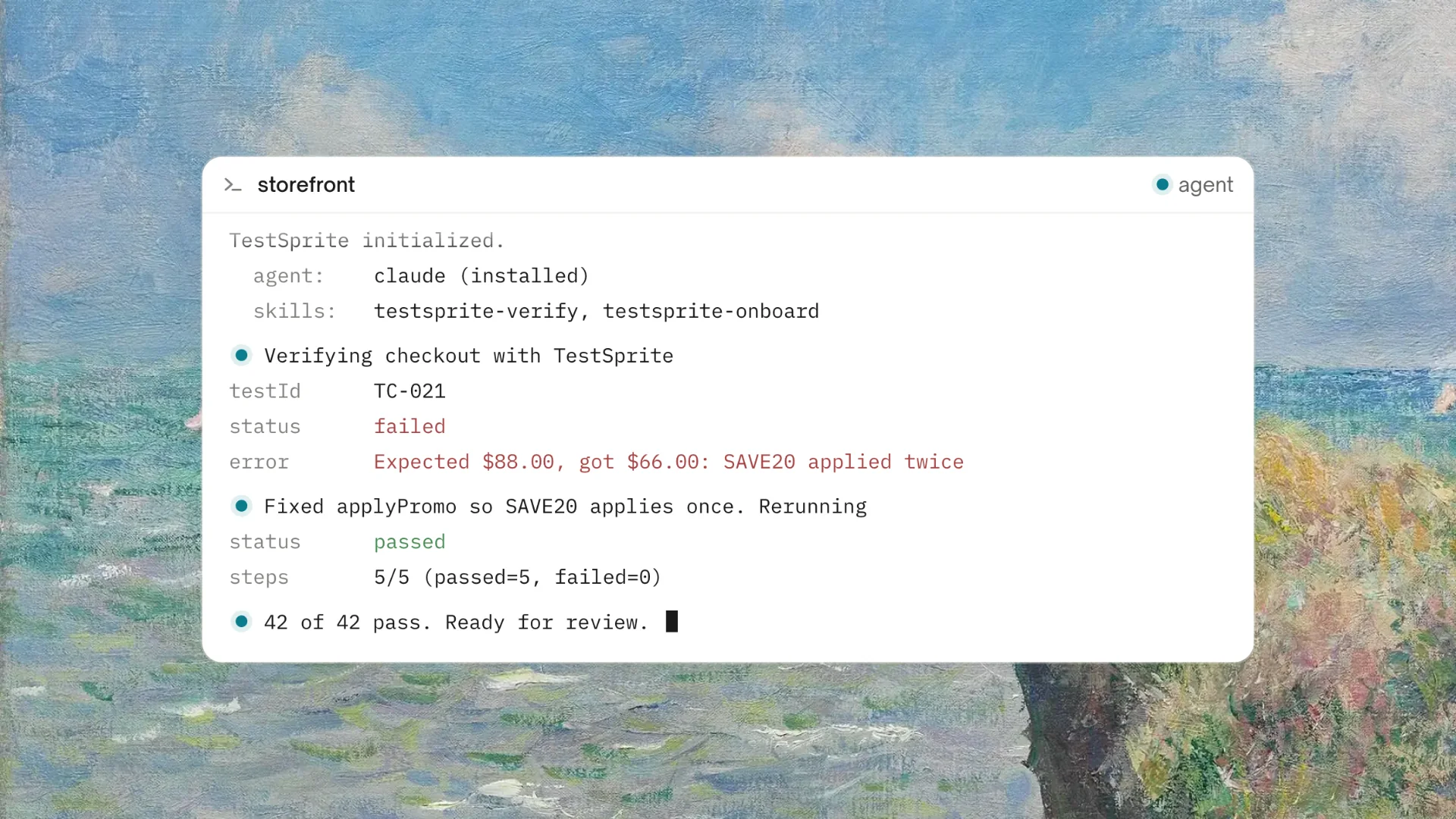
Connect the TestSprite MCP Server to Cursor, Claude Code, Windsurf, or VS Code. Point it at the staging or preview environment. Type one instruction:
"Help me test this project with TestSprite."
Other verification tools read your code and guess. TestSprite opens your app and uses it.
A fleet of parallel exploration agents visits the running application and navigates it the way real users would. They discover the product's flows by using it, not by reading a specification the developer wrote. They click through flows, fill in forms with real inputs, follow multi-step journeys from entry to completion, and carry session state forward across steps.
The first session generates a coverage baseline from what the agents discovered. Subsequent sessions compare against that baseline and surface any divergences. When the product adds new flows, the agents discover them automatically. When AI coding sessions refactor existing flows, the agents re-run them and catch behavioral changes.
No scripts to write. No scripts to maintain. The coverage grows and stays current with the product.
What Gets Found That Scripts Don't Reach
Because the exploration agents navigate the product rather than execute specifications, they find failures that a freshly written Playwright suite wouldn't catch.
The integration failure between two flows that were built in different Claude Code sessions. The edge case that only appears when a user takes a path the developer didn't anticipate. The state management bug that only surfaces when a user navigates backward through a multi-step flow.
These failures aren't in anyone's test plan. They're in the product, and the only way to find them is to use the product the way users do.
Auto-Heal Rerun keeps the coverage accurate as the product evolves. When an AI coding session renames a component or refactors a layout, the test adapts rather than failing falsely. Genuine behavioral regressions surface clearly. The suite stays trustworthy without the developer updating selectors after every Claude Code session.
A Scenario: First Test Session, Three Real Findings
A two-person startup is building a subscription management SaaS. They've been using Claude Code for five months with no automated testing. They've had three production incidents, all from regressions introduced by Claude Code sessions that weren't verified before shipping.
They sign up for TestSprite's free plan. Setup takes twelve minutes: account creation, API key, MCP configuration in Claude Code, first instruction.
The exploration agents navigate the product across its full surface. They work through subscriber onboarding, plan management, billing, usage reporting, and team access control.
In the first session, the agents surface three issues.
The first: the plan upgrade flow correctly processes payment and shows a confirmation screen. After upgrade, the usage reporting section still shows limits from the previous plan. The billing section reads from the new plan. The usage reporting section reads from a cached tier limit that wasn't invalidated when the plan changed.
The second: the team access control section correctly prevents non-admin members from accessing billing. When a non-admin member tries to access billing through a direct URL, the route handler returns a 200 with an empty billing view instead of redirecting to an access denied screen. The frontend enforces the restriction. The backend route handler doesn't.
The third: the subscriber onboarding checklist marks all items as complete when a new subscriber completes the first item and refreshes the page. The checklist completion logic marks the wrong items based on a list index error introduced in a recent Claude Code session.
Three genuine product failures. All found in the first session by agents navigating the product the way users do. None of these would have been in a freshly written Playwright suite because they weren't in anyone's mental model of what to test.
The failure descriptions return to the Claude Code terminal. The coding agent proposes fixes for all three. The developer reviews and applies them. The next TestSprite session confirms all three are resolved.
Five months of shipping without testing. First session found three real issues. That's the starting point TestSprite provides.
Conclusion
The best alternatives for AI-powered E2E testing aren't different scripting frameworks. They're tools that don't require scripting at all.
For teams using Cursor, Claude Code, or other AI coding tools who are evaluating their first E2E testing approach, starting with a scripting framework means committing to ongoing maintenance that compounds with every AI coding session. Starting with exploration-based autonomous testing means getting coverage from the first session without the maintenance burden.
TestSprite is that alternative. It connects to AI IDEs through MCP, discovers flows by navigating the live product, generates coverage from real user behavior, and keeps that coverage current through Auto-Heal as the product evolves.
For teams building with AI coding agents who need E2E coverage without the scripting investment, TestSprite is the starting point that matches how the product is built.
Start E2E testing with TestSprite's free plan today. No scripts required, no credit card required.