Is TestSprite Worth Using for a Small Development Team?
 Zeshi Du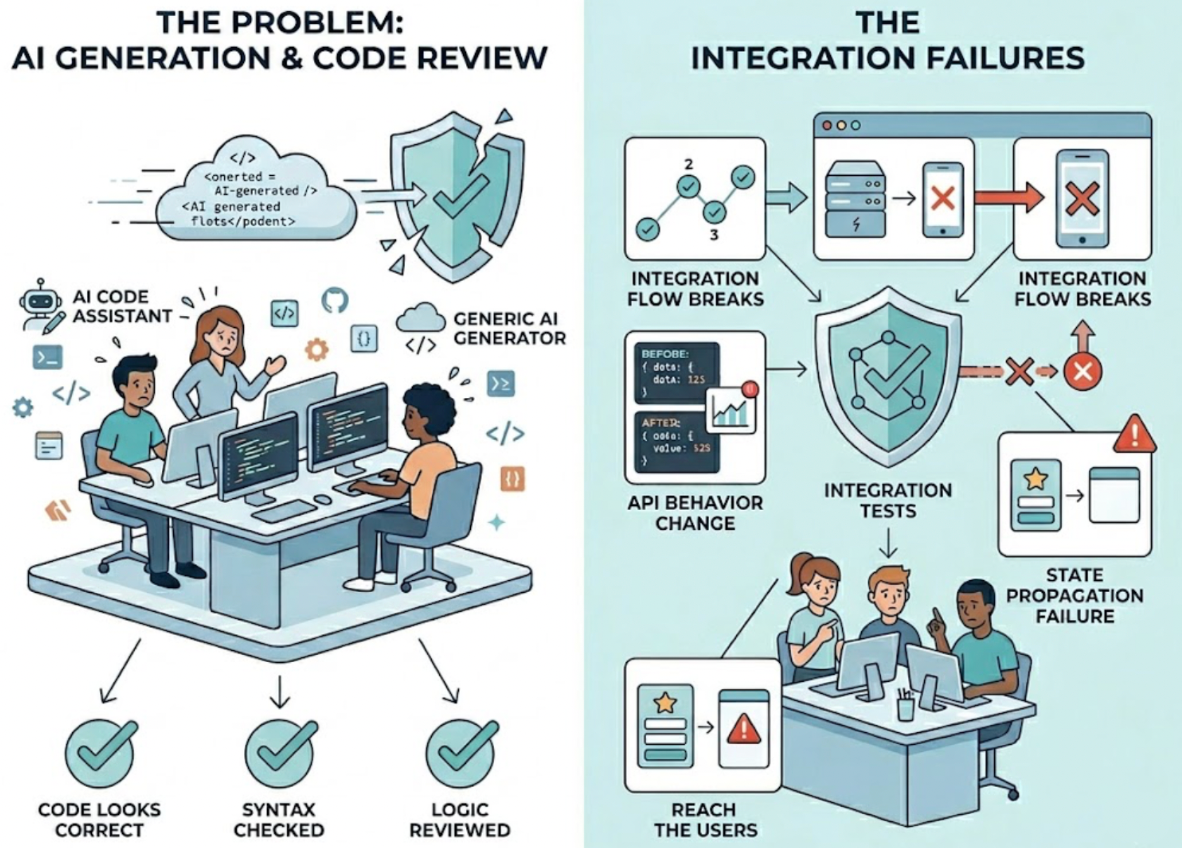
For small teams, the testing problem is specific: there's not enough time, not enough people, and not enough runway to build a formal QA process from scratch. But there's also not enough margin for error to ship broken software.
That's the bind. And it's exactly the situation TestSprite was designed for.
The honest answer to whether it's worth it depends on what "worth it" means for a team of two to ten engineers shipping fast with limited QA coverage. This is that answer.
The Testing Problem Small Teams Actually Have
Most small teams don't have a testing problem in the abstract. They have a specific one: the gap between how fast they're shipping and how much of what they ship actually gets verified.
A two-person startup using Cursor or Claude Code can generate a week's worth of features in a single day. The code looks right. Code review helps. But code review doesn't run the product, and the failures that reach users after an AI coding session almost never appear in the diff. They appear at the integration points: the state that didn't propagate correctly, the API that changed behavior, the multi-step flow that breaks at step four even though steps one through three each work fine.
For small teams, there's no QA engineer to catch these. There's no test suite, because building one takes time the team doesn't have. And there's no safety net except "ship it and see."
TestSprite is built to be that safety net without requiring the team to build it manually.
What Small Teams Get Without Infrastructure Investment
Setting up TestSprite for a small team doesn't require configuring test runners, managing a test database, or writing a single test case by hand.
The TestSprite MCP Server connects directly to Cursor, Claude Code, Windsurf, or VS Code through the Model Context Protocol. Once configured, one instruction from inside the IDE starts the full pipeline. Tests execute in a secure ephemeral cloud sandbox that spins up in seconds and tears down automatically. No local environment setup. No infrastructure to maintain.
Other verification tools read your code and guess. TestSprite opens your app and uses it.
The exploration agents visit the staging or preview environment and navigate the product the way a real user would. They click through UI flows, fill in forms with real inputs, follow multi-step journeys, and observe what happens at every step. They cover the full product surface, not just the flow the developer just worked on.
For a small team that previously relied on a quick manual click-through before pushing, this is a meaningful step up in coverage. For a team that previously shipped and waited for user reports, it's the difference between catching bugs in development and finding out from customers.
The Solo Developer and Two-Person Startup Case
For a solo developer or a team of two, TestSprite effectively becomes the QA function.
There's no test plan to write. The exploration agents discover the product's user journeys by navigating the application. There's no test suite to maintain. Auto-Heal adapts tests when UI changes occur, so structural updates don't generate false failures that the team has to triage manually.
What the team gets is a persistent coverage layer that runs after AI coding sessions, catches the integration failures that code review misses, and returns structured failure descriptions to the IDE where the coding agent can propose a fix in the same session.
The loop from AI writes code to AI tests it to AI fixes it runs inside the development environment without the developer switching tools or managing a separate testing workflow.
A Scenario: The Three-Person Team That Stopped Shipping Regressions
A three-person SaaS team was using Claude Code to ship features quickly. Their testing process was a manual walkthrough of whatever they'd just built, plus whatever a developer happened to check while reviewing the PR. Regressions were common. Users were reporting bugs in flows nobody had touched directly.
After connecting TestSprite, they started running it after every significant Claude Code session.
In the first month, the agents surfaced four regressions that their existing process had missed. A permission change that accidentally removed access for a user role nobody had tested. A form that stopped persisting data correctly after a state management refactor. An API endpoint that changed its response structure after a backend cleanup, breaking the frontend component that consumed it. A dashboard filter that updated the chart but left the summary cards showing stale data.
None of these would have been found by reviewing the diff or running a quick manual walkthrough. All of them were caught before they reached users.
The team's manual click-through time dropped because they trusted the automated coverage to handle the integration failures. Code review got faster because reviewers knew the product-layer verification was happening separately. The time investment to set up and run TestSprite was smaller than the time they'd been spending investigating and fixing user-reported bugs.
That's the worth calculation for a small team: not the cost of the tool compared to nothing, but the cost of the tool compared to the ongoing cost of finding bugs in production.
What Small Teams Should Know About Limitations
Honest framing matters for small teams evaluating tools on limited budget.
TestSprite is built for web-based products. Teams building command-line tools, mobile-only applications, or products without a web UI get limited benefit from the frontend exploration agents. The backend testing capabilities still apply, but the full value of product-layer navigation doesn't.
The free plan provides a monthly credit allowance that works for individual developers and small teams running regular but not continuous testing. Teams with high-frequency CI requirements, scheduled regressions on every PR, or large test suites will reach the limits of the free plan and need to evaluate the paid tiers based on their specific volume.
Auto-Auth, which handles OAuth and Cognito authentication flows automatically, is a paid feature. Small teams with complex authentication setups will need to factor this in. The free plan handles simpler authentication configurations.
The GitHub Actions Layer for Lean CI
Small teams that want CI coverage without a dedicated DevOps function can connect TestSprite to GitHub Actions with minimal configuration.
Every pull request triggers an automated test run against the staging or preview environment. Results post as PR comments. The reviewer sees product-layer coverage alongside the diff without running a separate QA pass.
For a two or three-person team, this removes the implicit choice between shipping fast and shipping verified. Both can happen on the same timeline. The CI run happens automatically. The team reviews the results before merging.
Conclusion
TestSprite is worth using for a small development team if that team is shipping code faster than their current verification process can follow.
It requires no test writing, no infrastructure setup, and no QA headcount. The exploration agents navigate the live product like real users, cover the full surface including flows that weren't in the latest change, and return findings to the IDE in a form the coding agent can act on. Auto-Heal keeps the coverage current as the product evolves.
For small teams where production bugs come from integration failures that code review doesn't catch, that's the coverage gap TestSprite closes. Whether it's worth it comes down to a simple comparison: the ongoing cost of finding bugs in production versus the effort of running an autonomous testing agent after each coding session.
Start with TestSprite's free plan and run your first session today.