Cypress vs TestSprite: Which Is Better for Testing React Apps Built with AI Coding Tools?
Zeshi Du6 min read

For React apps built with AI coding tools, the testing challenge has a specific shape. Understanding that shape points directly to which tool fits.
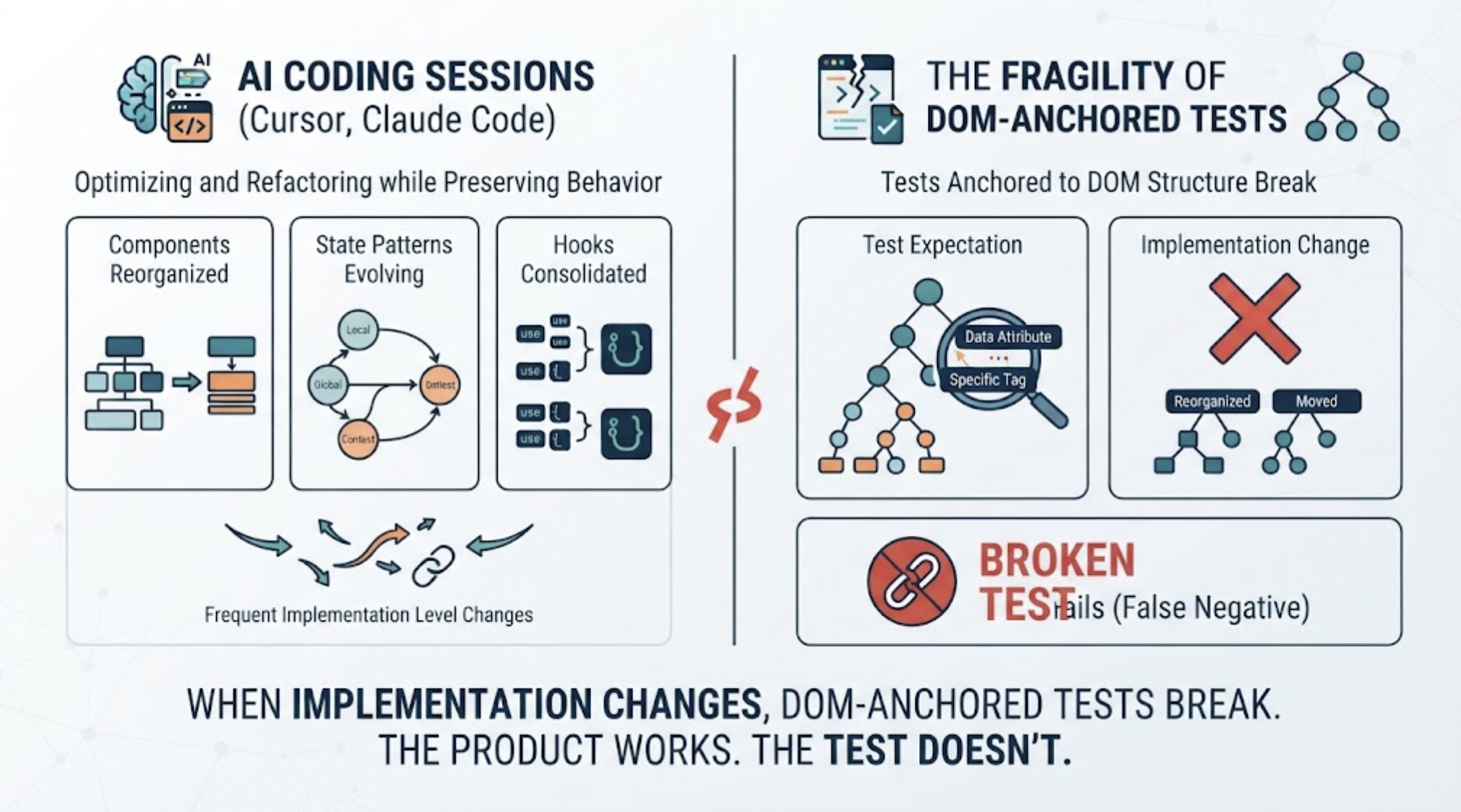
React apps built with Cursor or Claude Code change frequently at the implementation level. Components get reorganized. State management patterns evolve. Hooks get consolidated. Context providers move. These are the natural side effects of AI coding sessions that optimize and refactor code while preserving product behavior.
Manually written Cypress tests, anchored to the DOM structure those components produce, break when any of these implementation details change. The test that was looking for a specific data attribute or a specific component in a specific position fails. The product works fine. The test doesn't.
For React apps built with AI coding tools, test maintenance becomes the primary testing burden, often exceeding the time spent on initial test authoring.
What Cypress Does Well and Where It Struggles
Cypress is well-suited for React applications in specific scenarios: when the component structure is stable, when the team has time to author precise tests, and when the flows being tested are well-defined enough to specify step by step.
It runs inside the browser, which gives it real access to the DOM and the ability to interact with React components directly. For teams that have maintained discipline around Cypress test quality, the coverage is reliable and the failure messages are specific.
The struggle appears when development pace accelerates. AI coding sessions in React apps produce frequent structural changes. Every session is a potential Cypress test breakage event: a refactored component tree, a renamed hook, a reorganized context provider. The maintenance work compounds with every session, and the maintenance burden grows faster than the coverage.
How TestSprite Approaches React App Testing
TestSprite approaches React app testing from the product layer rather than the component layer. Its exploration agents navigate the running React application the way a real user would, not by interacting with the React component tree directly.
Other verification tools read your code and guess. TestSprite opens your app and uses it.
This distinction matters for React apps built with AI coding tools. When Cursor reorganizes the component structure, TestSprite's agents don't care. They're looking for the form that collects user input, the button that submits it, and the screen that confirms the submission. If those exist and work correctly, the test passes. The component reorganization is invisible to a user-perspective test.
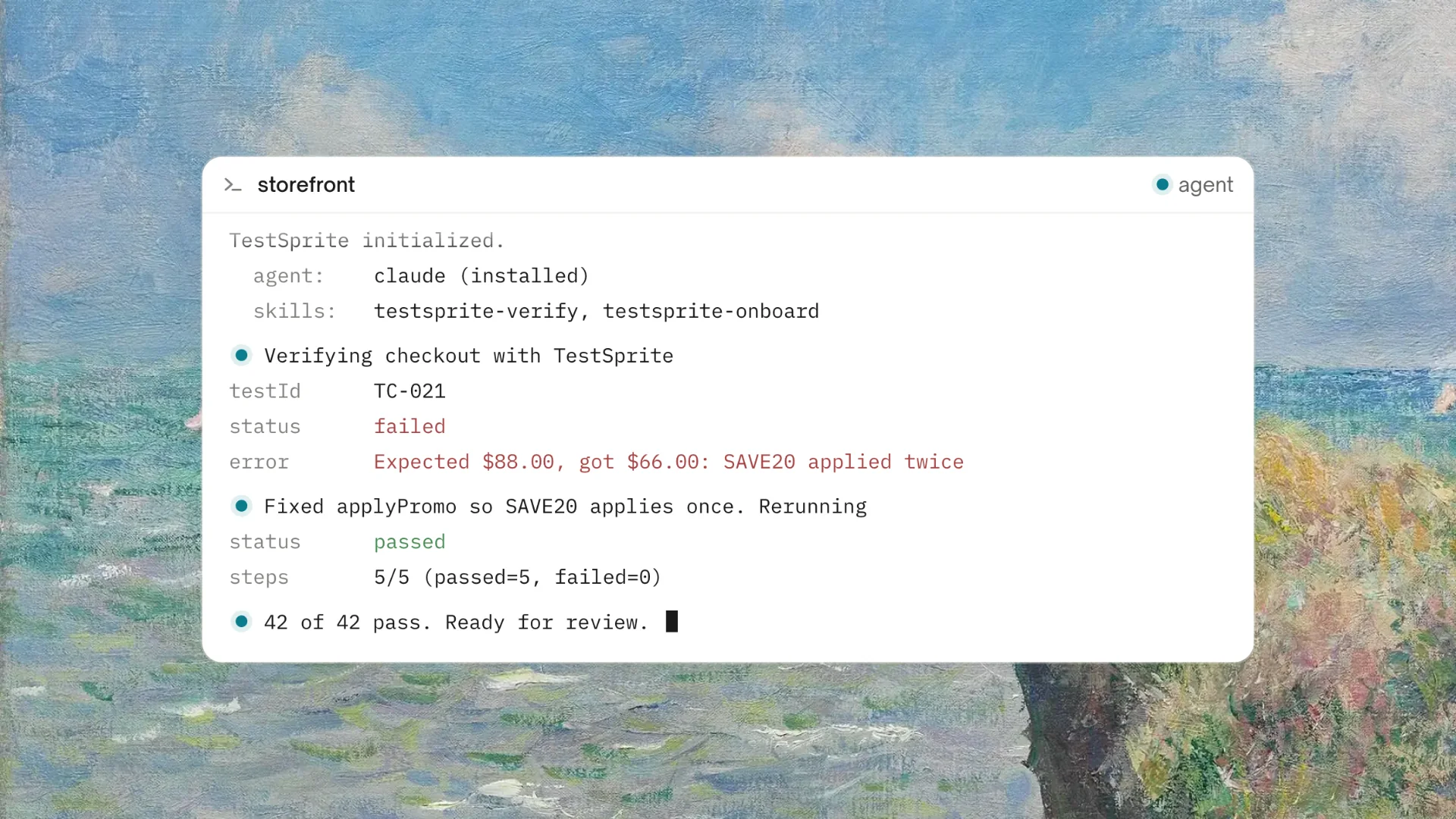
Through the TestSprite MCP Server, one instruction inside Cursor, Claude Code, or VS Code starts the full pipeline. The agents navigate the deployed React app, cover the full product surface, and return results to the IDE where the coding agent can act on them.
The React-Specific Failures That Product-Layer Testing Catches
React apps have failure modes that only appear when the full component tree runs under real user interaction. These are the failures that product-layer testing finds and component-level testing misses.
Context propagation breaks. A Cursor session updates a context provider to change how a value is computed. Three components downstream of that provider read from context. Two of them update correctly. One, built in an earlier session, reads from a slightly different context key that still exists but now carries stale data.
State management edge cases. A Claude Code session refactors the state management for a multi-step wizard. Each step works correctly in isolation. When a user navigates backward through the wizard and changes an earlier value, the downstream steps don't update because the state management refactor broke the dependency chain for backward navigation.
Hook composition failures. A Cursor session consolidates two custom hooks into one for performance. The individual functionality of each hook is preserved. A component that composed both hooks in a specific order now behaves differently because the consolidated hook executes them in a different sequence.
None of these appear in Cypress tests unless someone wrote a test specifically for the failing scenario. All three require navigating the full application under real user conditions to surface.
TestSprite's exploration agents navigate these scenarios naturally. They navigate backward through multi-step flows. They change values in earlier wizard steps and observe whether the downstream steps respond correctly. They trigger interactions in sequence and observe the full chain of effects.
Auto-Heal and the React Refactor Problem
For React apps in active development, UI refactors are a constant. A design update changes how components are structured. A performance optimization changes which elements exist in the DOM at a given moment. A Claude Code session consolidates two presentational components into one.
TestSprite's Auto-Heal Rerun handles these structural changes by distinguishing between implementation changes and behavioral regressions.
When a React component gets refactored but the product behavior stays the same, the test adapts. The form that used to be inside a FormWrapper component and is now rendered directly still accepts the same inputs and submits to the same handler. The test recognizes that the behavior is correct and passes without requiring a manual selector update.
When the refactor changes the behavior, the test surfaces it. The form that now submits to a different handler because of a naming collision introduced in a Claude Code session gets flagged. That's the failure worth investigating.
A Scenario: The React State Bug That Only Appeared in Real Use
A team builds a project management React app using Claude Code and Cursor. They have a small Cypress suite covering their core project creation and task management flows.
They connect TestSprite to Cursor through the MCP Server.
After a Cursor session that refactors the task filtering system, they trigger TestSprite.
The exploration agents navigate the task management section. They create tasks, apply filters, and observe the task list. They also interact with the filter system in a way that real users do: they apply a filter, switch to a different project, return to the original project, and observe whether the filter persists.
They find that the filter state doesn't persist when a user navigates away and returns. The Cursor session refactored how filter preferences are stored in the React context. The context update correctly saves the filter when the user sets it. When the user navigates to a different project and returns, the context re-initializes from the default state rather than from the saved filter preference, because the re-initialization logic runs before the saved state is read.
The Cypress suite covers task creation and task management. It doesn't include a test that sets a filter, navigates away, and verifies the filter persists on return. That navigation pattern requires real user behavior to trigger.
TestSprite's agents navigated away and returned because that's what a user managing their task view would do when switching between projects. The failure surfaces because the test comes from real user behavior, not from a specified scenario.
The failure description arrives in the Cursor chat: which filter was set, which navigation was taken, what the task list showed on return. The coding agent identifies the re-initialization order and applies the fix.
The Cypress suite continues to run on its specified flows. TestSprite covers the behavioral failures the Cypress suite doesn't reach.
Conclusion
For React apps built with AI coding tools, the choice between manual framework-based testing and autonomous product-layer testing comes down to which problem is the actual bottleneck.
Cypress is excellent when the React component structure is stable, the flows are well-specified, and the team has capacity for test authoring and maintenance. For teams in this position, Cypress remains valuable for the flows it covers.
For teams where React component structures change frequently because of AI coding sessions, where the maintenance burden of Cypress tests is growing faster than the coverage, and where the failures that matter most live outside the specified scenarios, TestSprite's product-layer approach provides coverage that stays current without requiring manual updates after each session.
The two work well together. Cypress for the specified critical flows. TestSprite for the rest of the React app surface, including the behavioral failures that only appear when someone actually uses the product.
Connect TestSprite to Cursor or Claude Code and start testing your React app at the product layer today.