Can I Use TestSprite with VS Code or GitHub Copilot?
 Zeshi Du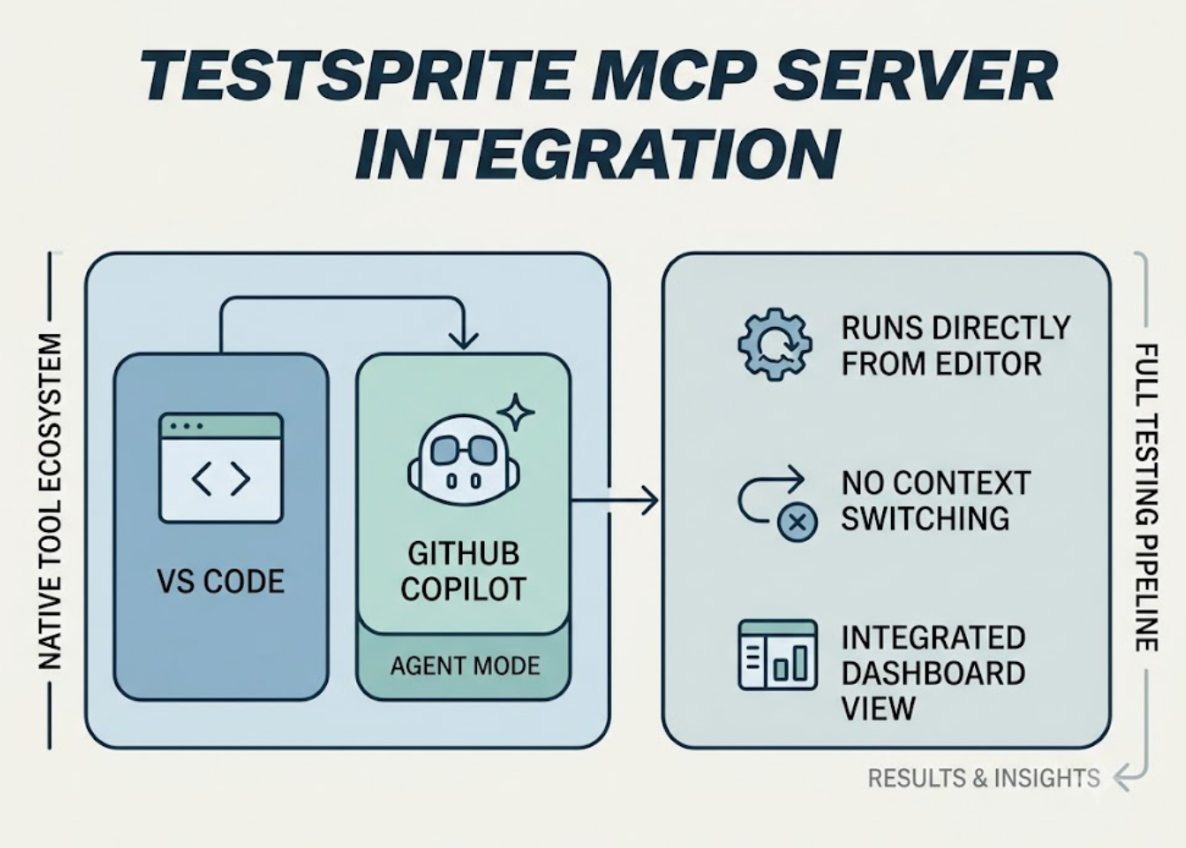
Yes. TestSprite's MCP Server connects natively to both VS Code and GitHub Copilot's agent mode. Once configured, the full testing pipeline runs from inside the editor without switching tools or opening a separate dashboard.
Here's what you need to know before setting it up, and why the integration matters beyond just convenience.
How VS Code and GitHub Copilot Support MCP
VS Code added production-grade MCP support in version 1.99 (released in 2025), and it became the standard way for GitHub Copilot's agent mode to connect to external tools. MCP tools in VS Code work exclusively in Copilot's Agent mode, not in Ask or Edit mode. If you don't see the agent mode option, make sure you're running VS Code 1.99 or later.
The configuration for VS Code uses a mcp.json file with a "servers" root key. This is different from Cursor and Claude Code, which use "mcpServers". Copying a configuration from another IDE without updating the root key is the most common setup mistake, and it fails silently.
What You Need Before Starting
VS Code 1.99 or later. Earlier versions don't support the MCP features TestSprite requires.
Node.js 18 or later. Run node --version in your terminal to check. Install from nodejs.org if needed.
A TestSprite account and API key. Sign up at testsprite.com. The free plan doesn't require a credit card. Generate your API key from account settings after signing in.
GitHub Copilot. MCP tools in VS Code run through Copilot's agent mode. The free Copilot tier works.
How to Add TestSprite to VS Code
Open the Command Palette with Cmd+Shift+P (Mac) or Ctrl+Shift+P (Windows/Linux) and run MCP: Open User Configuration. This opens your global mcp.json file.
Add the following to the servers section:
{
"servers": {
"TestSprite": {
"command": "npx",
"args": ["-y", "@testsprite/testsprite-mcp@latest"],
"env": {
"API_KEY": "your-api-key"
}
}
}
}
Replace your-api-key with your TestSprite API key. Save the file. VS Code will prompt you to start the server.
For a project-scoped installation that you can commit with your repository, create a .vscode/mcp.json file in your project root with the same configuration. Team members who clone the project can use the same setup without configuring it individually.
One Thing to Verify After Setup
After saving the configuration, open Copilot Chat and switch to Agent mode from the mode dropdown. Agent mode is required for MCP tools to work. In Ask or Edit mode, TestSprite's tools won't appear.
VS Code will ask for confirmation before running MCP tools for the first time. Click Allow. You can set it to allow automatically for the current session or all future sessions from the same confirmation prompt.
Triggering the Testing Pipeline
Once setup is confirmed, open Copilot Chat in Agent mode and type:
"Help me test this project with TestSprite."
Other verification tools read your code and guess. TestSprite opens your app and uses it.
A fleet of parallel exploration agents visits the running application and navigates it the way real users would. They don't inspect the files Copilot just modified. They visit the live product, discover its flows, and move through them. They click buttons, fill in forms with real inputs, follow multi-step journeys from entry to completion, and carry session state forward across steps.
The agents run in parallel across different paths through the product. When they find a failure, the structured failure description returns to the VS Code Copilot Chat window. GitHub Copilot's agent can receive that description and propose a fix in the same session. The loop from code change to test failure to applied fix closes without leaving VS Code.
What This Combination Is Particularly Good At
The VS Code + GitHub Copilot + TestSprite combination is especially valuable for teams that use Copilot to write code and want verification to run inside the same editor rather than as a separate CI step.
Copilot is good at generating code. The verification gap it creates, where code that looks correct may produce product behavior that isn't correct, is the problem TestSprite closes.
A scenario that illustrates this: a developer uses GitHub Copilot inside VS Code to build a password reset flow. Copilot generates the reset request handler, the email dispatch, the token validation on the reset page, and the credential update. Each piece reads correctly in code review.
TestSprite's exploration agents navigate the password reset flow the way a real user would. They request a reset, follow the reset link, submit a new password, confirm it, and attempt to log in with the new credential.
They find that the login succeeds with the new password. But they also try logging in with the old password immediately afterward. The old credential still works. The reset flow accepted the new password, updated the credential, but didn't invalidate the old session or token. A user who reset their password thinking their account was now secure would still be vulnerable.
Code review saw a correctly implemented password update. TestSprite found that the security posture of the account hadn't actually changed the way the user expected it to.
The failure description returns to the Copilot Chat window. The agent identifies the missing session invalidation and old credential revocation, and proposes the fix in the same session.
Backend Coverage From the Same Instruction
The same instruction that triggers frontend exploration also covers backend APIs.
TestSprite's Backend Testing 2.0 calls each endpoint and observes how it actually responds before generating any assertion. Real status codes, real field names, real response shapes. Assertions are grounded in observed behavior, not in what the code says the API should return.
For multi-step backend flows, dynamic variables captured from real API responses, a resource's actual ID or a returned token, flow automatically to downstream steps. CRUD lifecycle tests run end to end without the developer manually wiring the data flow.
CI Coverage Alongside the In-Editor Loop
The VS Code + Copilot integration handles moment-to-moment verification inside the editor. The GitHub Actions integration extends the same coverage into CI.
Every pull request triggers an automated test run. Results post as PR comments before the review starts. Copilot changes get product-layer verification before they merge, without the team adding a separate QA step.
Conclusion
TestSprite works with VS Code and GitHub Copilot through the Model Context Protocol. VS Code 1.99 or later, Node.js 18 or later, and a Copilot subscription are the prerequisites. The configuration uses a mcp.json file with a "servers" root key, and MCP tools are available in Agent mode only.
Once configured, one instruction from inside Copilot Chat starts exploration agents that navigate the live application like real users, cover frontend flows and backend APIs, and return structured failure descriptions Copilot can act on in the same session.
For developers using Copilot to write code, TestSprite is the verification layer that confirms what gets built actually works.
Set up the TestSprite MCP Server in VS Code today.