Can AI Generate Negative Tests for Forms?
Zeshi Du7 min read

Yes. But most tools that claim to do this are generating the wrong kind of negative tests.
There's a version of negative testing that's easy to automate and largely useless in practice. A tool reads your form's validation logic, identifies the rules, and generates test cases that confirm each rule catches a single invalid input in isolation. Required field left blank: check. Email missing the @ symbol: check. Password shorter than eight characters: check.
These tests verify that the validation logic is implemented. They don't verify that the validation experience works for a real user. And that gap is where the failures that reach production actually live.
Real negative testing for forms means doing what real users do when things go wrong: submitting incomplete data, entering values that break multiple rules at once, correcting some errors but not others, navigating away and coming back, trying edge cases that no developer thought to anticipate. That's not a rule-checking exercise. It's a behavioral simulation.
What Negative Testing Actually Means for Forms
Negative testing is testing what happens when inputs are wrong, incomplete, or unexpected. For forms, that covers a wide range of scenarios that go far beyond checking individual validation rules.
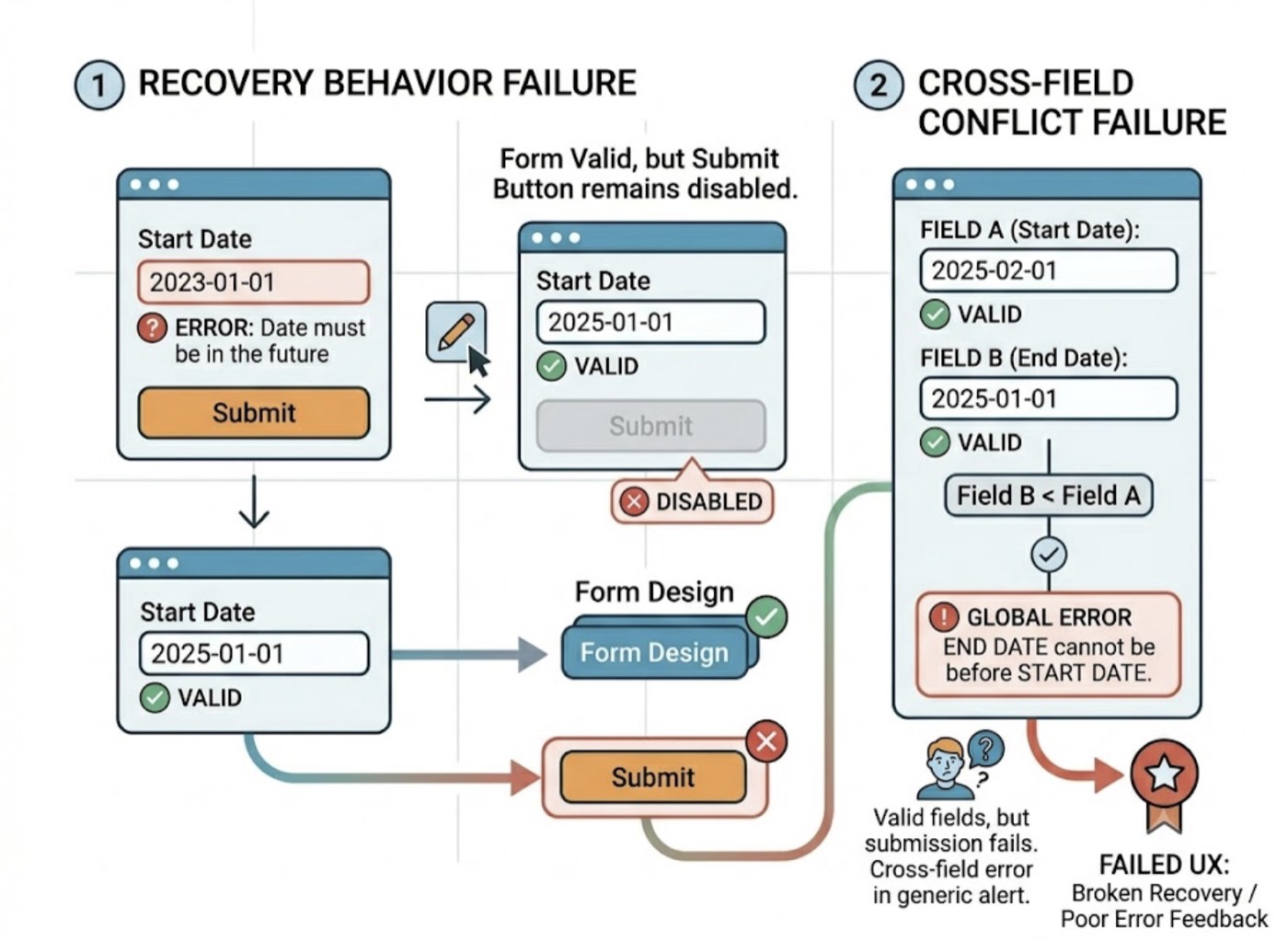
A form can fail in ways that have nothing to do with whether the validation logic is correct. The validation fires, the error appears, and the user corrects the input. Then the form doesn't re-enable the submit button. The validation is correct. The recovery behavior is broken.
A form can accept each field correctly in isolation but reject the submission because of a cross-field conflict. A start date that's valid. An end date that's valid. A submission that fails because the end date is before the start date, and the error message appears on neither field but in a generic alert the user doesn't notice.
A form can submit successfully on the client side and fail silently on the backend. The UI shows a success state. The database never received the record. The user assumes their submission went through.
All of these are negative test scenarios. None of them appear when a tool checks that the required field validator returns true for an empty string.
Why Code-Layer Negative Testing Falls Short
Code-layer tools approach negative testing the same way they approach positive testing: by reading the source files and generating assertions against the implementation.
For negative cases, this means: identify the validation functions, generate inputs that should trigger them, assert that they return the expected error state. It's systematic. It's fast. It's also testing the validation logic in isolation from the form experience.
The failure mode is structural. Code-layer negative testing can confirm that the validateEmail function returns false for "notanemail". It can't confirm that the error message appears in the right place, stays visible long enough for the user to read it, clears correctly when the user fixes the input, doesn't block submission after correction, and disappears cleanly when the form is submitted successfully.
Those behaviors live at the interaction layer. Verifying them requires interacting with the form, not reading the code that powers it.
A developer relying on code-layer negative tests has coverage on the validation logic and a blind spot on the validation experience. The blind spot is where users actually encounter problems.
How TestSprite Generates Real Negative Tests for Forms
TestSprite generates negative tests by doing what a real user does when they get something wrong. Its exploration agents visit the live application and interact with forms the way real users would, including all the ways real users interact badly.
Other verification tools read your code and guess. TestSprite opens your app and uses it.
The agents don't read the validation logic to determine what negative cases exist. They try things. They submit the form with every required field left blank and observe where the errors appear. They fill in some fields and leave others empty and observe what the partial validation state looks like. They enter values that violate format constraints and observe whether the error message is specific enough for the user to understand what to fix.
Then they go further. They correct the errors one by one and observe whether each error clears correctly as the input becomes valid. They correct all errors and verify that the submit button or action becomes available again. They submit a fully corrected form and verify that the form moves to the right next state: success, redirect, confirmation, or the next step in a multi-step flow.
This is the complete negative test for a form field. Not "does the validator return false?" but "does the full experience of making a mistake and recovering from it work correctly?"
The Edge Cases That Matter Most
Real users don't fail in the ways developers anticipate. They fail in combinations, at boundaries, and in sequences that require an agent willing to explore rather than a script designed to cover predefined cases.
Boundary inputs. A name field with a maximum length of 50 characters. The agent submits exactly 50 characters, exactly 51, and exactly 49. Which of these triggers the error? What does the error say? Does the field prevent typing past the limit, or does it allow the input and reject at submission?
Cross-field validation. A date range form where start and end dates are each individually valid but the range they form is not. The agent fills both fields with valid values that violate the range constraint and observes where the error appears and what it says. Then it corrects one field and observes whether the error updates or persists.
Special character handling. A text field that accepts most inputs but fails silently or crashes on specific characters: angle brackets, apostrophes, emoji, or multi-byte Unicode. The agent tries inputs that include these characters and observes the outcome at both the UI layer and the API layer.
Whitespace-only inputs. A required field that a user fills with spaces. The frontend accepts it as non-empty. The backend rejects it or stores an effectively blank value. The agent submits whitespace-only inputs and verifies that the full stack handles them correctly.
Rapid repeated submission. A user who clicks the submit button multiple times before the first response arrives. The agent attempts rapid repeat submissions and checks whether the form handles them safely: disabling the button after the first click, deduplicating requests, or producing an error state if the behavior is undefined.
None of these are scenarios a developer writes a negative test for. All of them are scenarios real users hit.
Backend Rejection Is Part of the Negative Test
Frontend negative testing catches what the client-side validation handles. Backend negative testing catches what the client-side validation misses.
A form that passes every client-side validation rule can still fail when the request reaches the server. The backend applies different rules, receives data in a format it doesn't expect, or encounters a state that makes the otherwise valid request impossible to process.
TestSprite's Backend Testing 2.0 extends negative testing to the API layer. Before generating any test plan, the agent calls the endpoint with real inputs and observes how it actually responds to valid submissions, invalid submissions, and edge case inputs. Real status codes. Real error response shapes. Real field-level error messages in the response body.
When the backend returns a 422 with a structured error body, the agent verifies that the frontend correctly parses that response and displays the relevant error messages to the user. When the backend returns a 400 for a request the frontend considered valid, that gap surfaces as a concrete failure: the client-side validation allowed something the server doesn't accept.
Dynamic variables flow automatically through multi-step form submissions. A form that creates a resource and then requires a confirmation step passes the real resource ID from the first submission to the second. If the second step fails with a specific backend error, the failure is described with the actual request and the actual response, not a generic assertion error.
Keeping Negative Test Coverage Current
Forms change. Validation rules get updated. New fields get added. Error messages get rewritten. In teams where AI coding agents are regularly touching form components, negative test coverage needs to stay current with those changes.
TestSprite's Auto-Heal Rerun handles this automatically. When a form update causes a negative test to fail, the agent determines whether the failure reflects a genuine regression in validation behavior or a UI change that doesn't affect the underlying experience. A renamed error message container, a restyled submit button, a restructured form layout: the test adapts rather than failing falsely.
Genuine regressions surface clearly. Cosmetic changes don't create noise.
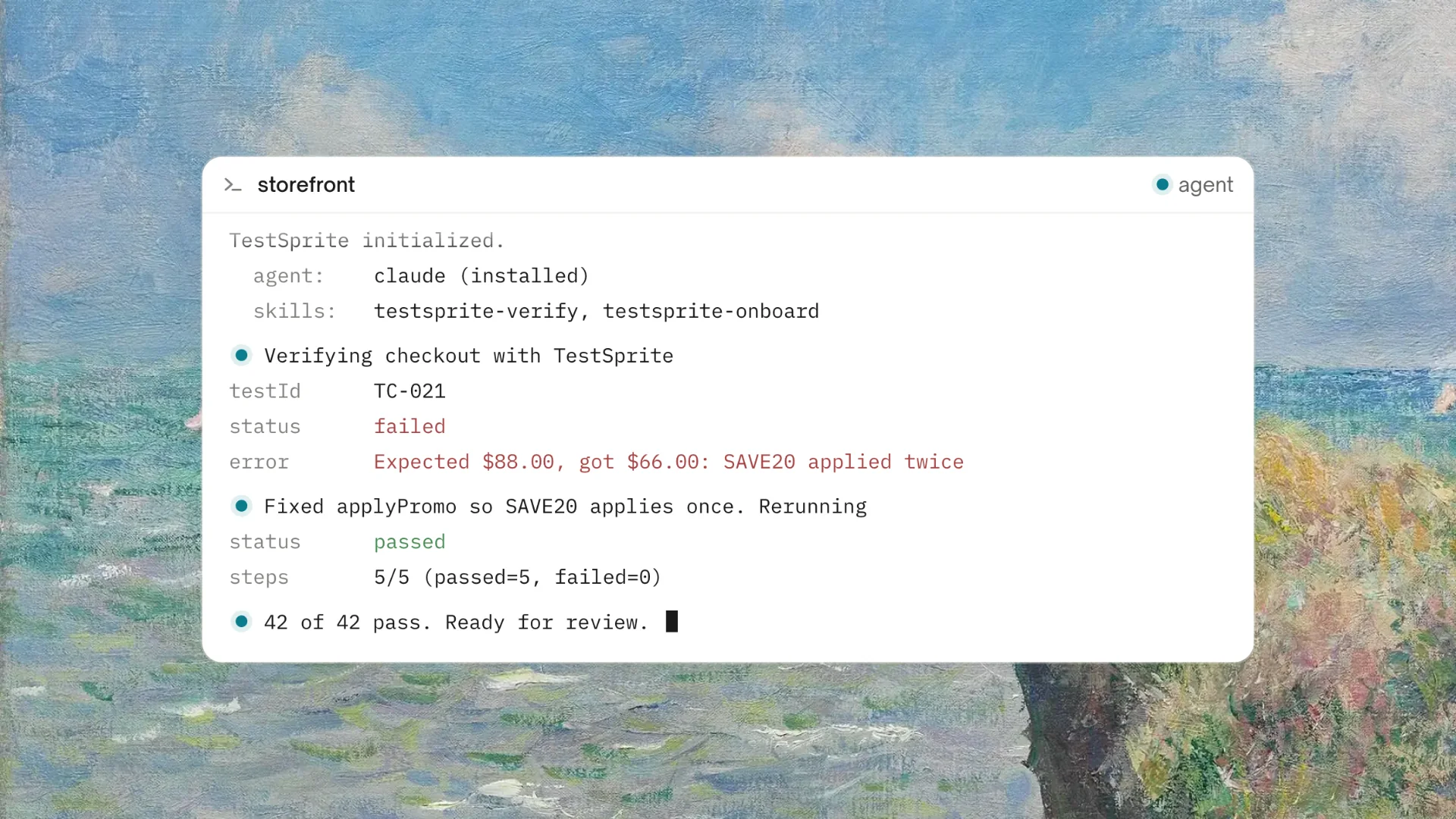
Through the TestSprite MCP Server inside Claude Code, Cursor, or Windsurf, the full negative testing pipeline runs from a single instruction. Through the GitHub Actions integration, negative test coverage runs on every pull request. Changes that break error recovery behavior, introduce silent backend rejections, or produce incorrect error messages surface in CI before they reach users.
Conclusion
AI can generate negative tests for forms. The question is whether it generates tests that verify validation logic in isolation or tests that verify the full validation experience as a real user encounters it.
Validation logic being correct is necessary but not sufficient. The error message has to appear in the right place. The recovery path has to work. The backend has to agree with the frontend. The edge cases a developer never thought to anticipate have to be handled.
TestSprite generates negative tests by interacting with forms the way real users do. Its agents submit wrong inputs, observe error states, correct those inputs, and verify that the recovery path works correctly at every step. Its Backend Testing 2.0 extends the same approach to API-layer rejection. Its Auto-Heal keeps negative test coverage current as forms evolve.
The result is negative test coverage that reflects how real users experience failure, not just how the validation logic handles a predefined set of invalid inputs.
Start generating real negative tests for your forms with TestSprite from inside your AI IDE today.